
Views: 0 Author: Site Editor Publish Time: 2026-04-27 Origin: Site


If you run a store, café, salon, or service desk, this choice matters more than many owners expect. A cash register can handle sales, receipts, and cash storage. A POS system can do that too, but it also tracks inventory, customer data, staff activity, and reports. The right option depends on how your business works today and how much control you want tomorrow.
Many small businesses still do well with Cash Registers. They are simple, durable, and low-cost. But when sales volume grows, product lines expand, or customer expectations change, a POS system often becomes the better fit. Some businesses also use a pos cash register setup, which blends POS software with register-style hardware. Others still prefer a desktop cash register for a fixed checkout counter and a familiar workflow.
This guide compares both options in plain language. It will help you choose based on cost, daily tasks, growth plans, and business model.
At a glance, both tools help you take payment. In practice, they solve different problems.
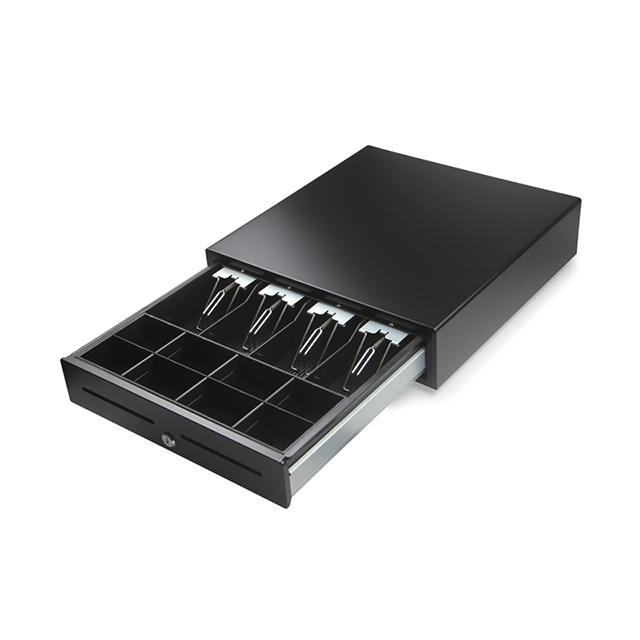
Cash Registers focus on the sale itself. They total the purchase, open the drawer, and print the receipt. That may be enough if your checkout process is straightforward.
A POS system does more. It records the sale, links it to products, tracks payment type, and stores the data for later review. In many cases, it also supports refunds, discounts, promotions, and staff permissions.
This is often the biggest dividing line.
With Cash Registers, inventory is usually manual or very limited. If an item sells, someone still needs to update stock counts elsewhere. That works for a tiny catalog. It becomes risky when you carry many SKUs.
A POS system updates stock automatically as items sell. That helps reduce stockouts, over-ordering, and pricing errors. It also gives you a better view of what is moving and what is sitting.
Many Cash Registers can connect to card readers. But they are still built around basic payment handling. Some setups may also require a separate merchant account.
POS systems usually support more payment types out of the box, including cards and digital wallets. They also fit businesses that sell across channels, such as in-store and online.
A desktop cash register may give you daily totals and basic reports. That helps you close the day. It does not always help you improve the next one.
POS systems can show sales by item, category, employee, time period, and location. That lets you spot trends, adjust staffing, and improve margins.
Cash Registers are usually standalone devices. That simplicity can be a benefit. But it also means more manual work.
POS systems often connect to accounting tools, loyalty tools, inventory software, and e-commerce platforms. If you want one system to feed several workflows, POS has the edge.
A traditional register works best in a simple setup. One location. One counter. Limited products. Stable routines.
A POS system is designed for growth. It works better when you add locations, more registers, online orders, or more staff.
Tips: If you expect more products, more channels, or more staff in the next year, compare systems on future workflow, not today’s checkout speed.
The best choice is not the most advanced one. It is the one that matches your operation.
Cash Registers make sense when your needs are narrow: ring up sales, accept payment, print receipts, and keep cash secure. They are especially useful for cash-heavy shops and owners who want a simple, familiar setup.
If you need live inventory, staff tracking, customer history, or stronger reporting, a POS system is the better fit. It can replace several manual tasks with one connected workflow.
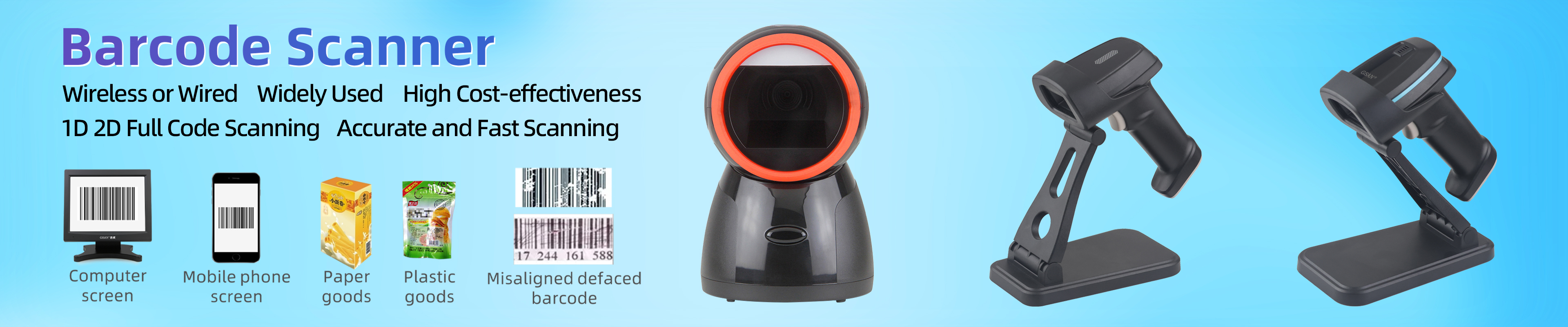
A small gift shop does not need the same tools as a restaurant or salon. Retailers may need barcode scanning and product variants. Restaurants may need table management and order routing. Service businesses may care more about appointments, tips, or customer history.
Many owners buy for today only. That can create a second purchase later. If growth is likely, a POS system may save money over time, even if the upfront cost is higher.
Cash Registers are easier to learn. That matters if you have seasonal staff or high turnover. POS systems usually need onboarding, but they also reduce manual errors once people know the workflow.
Ask yourself:
Do we need inventory tracking?
Do we sell online and offline?
Do we need employee reporting?
Do we want loyalty or customer history?
Do we expect to add another terminal or location?
If you answer “yes” to several, a POS system likely makes more sense.
Cash Registers still have a real place in the market. They are not obsolete. They are simply specialized.
If you run a small store with a short product list and predictable traffic, a cash register may cover everything you need. It handles the sale without adding software complexity.
Some businesses still process a large share of sales in cash. In those cases, the core strengths of Cash Registers still matter: secure drawers, simple operation, and quick cashier training.
Low-end Cash Registers can start around $100 to $300. Midrange units often fall between $300 and $600. That makes them attractive for new businesses or lean budgets.
A desktop cash register is built for the counter. It lasts a long time and does not depend on cloud sync for every task. That can be reassuring in basic retail environments.
Still, owners should be realistic. Simplicity helps until the business starts needing more data, more integrations, or more flexibility.
A POS system is often the better choice when the payment is only one part of the process.
Retailers with many items or variants benefit from automatic stock updates. That reduces human error and helps avoid missed sales.
Customers now expect fast card and contactless options. POS systems are built for that wider payment mix. They also support promotions and digital receipts more easily.
If you want to know who made the sale, when rush hours happen, or which promotions work, POS reporting becomes valuable. The same applies when you want customer profiles or loyalty features.
If you operate more than one store, or sell both online and in person, POS systems offer a much better control layer. That is where a pos cash register setup often works well. It gives you register-style checkout plus POS software depth.
Tips: For growing retail brands, the best POS value often comes from fewer manual fixes, not just faster checkout.
Price matters, but sticker price is only the start.
Here is the simple range from the reference material:
System Type | Typical Cost Range | What You Usually Get |
Low-end Cash Registers | $100–$300 | Basic keypad register, cash drawer, receipt printer |
Midrange Cash Registers | $300–$600 | Better speed, some touchscreen models, more robust hardware |
High-end Cash Registers | $700–$1,100 | Touchscreen models, some inventory/reporting features |
POS Systems | $1,000–$2,500 | Terminal, software, reporting, inventory, connected workflows |
These are example ranges from the source and should be verified against current vendor pricing before purchase.
Cash Registers usually have fewer software fees. But they may still require separate processing services or hardware add-ons.
POS systems can include software fees, support fees, and upgrade costs. The tradeoff is stronger automation and better reporting.
This is where many buyers misjudge value.
A low-cost register may still create:
manual inventory work
more cashier errors
weaker reporting
harder expansion
more disconnected tools
Those costs do not show up on the invoice, but they show up in payroll hours and missed decisions.
If you are already looking at high-end Cash Registers in the $700 to $1,100 range, it is smart to compare similarly priced POS options. At that point, the added software value may justify the switch.
A side-by-side summary helps.
Factor | Cash Registers | POS Systems |
Ease of use | Very simple | Simple to moderate |
Upfront cost | Lower | Higher |
Inventory tracking | Limited or manual | Real-time and automatic |
Reporting | Basic | Detailed |
Integrations | Minimal | Strong |
Durability | Strong | Strong, but varies by setup |
Training needs | Low | Moderate |
Best for | Simple stores | Growing, data-driven operations |
They are affordable, easy to buy, easy to train on, and durable. They fit small, traditional operations well.
They offer limited reporting, weak integrations, and more data risk if the device fails or power is lost.
They improve reporting, inventory control, customer insight, and employee management. They also support more connected operations.
They cost more, require setup, and need training. Some owners also end up paying for features they do not use.
Here is a practical way to think about it.
A desktop cash register may be enough if the product mix is limited and the owner wants a simple counter setup.
A POS system often works better because it can support speed, order flow, staff tracking, and more flexible payments.
If inventory is expanding and online sales are coming, a POS system is usually the better long-term choice.
A mobile POS may work best. It offers portability and fast setup, though it is less ideal for cash-heavy use.
Before you choose, review these points:
hardware included
payment processor terms
inventory features
reporting depth
training and onboarding
support response time
integration options
offline mode
total future cost
Ask for a demo. Measure your counter space. Test the interface. Make sure the system fits how your staff actually work. The source material also stresses checking reports, exports, integrations, and future expansion costs before buying.
Tips: Do one live workflow test: sale, refund, end-of-day report, and stock check. That reveals more than a feature sheet.
So, which is right for you?
Cash Registers suit simple stores with basic needs. POS systems fit businesses that need better data, inventory control, and growth support.
GSAN helps bridge that gap with reliable checkout tools, practical features, and service that adds long-term value.
A: A cash register handles basic sales, receipts, and cash storage. A point of sale system also manages inventory, reports, employee activity, and customer data.
A: In a cash register vs pos system comparison, the right choice depends on your budget, sales volume, and workflow. Simple stores may prefer a register, while growing businesses often need POS features.
A: The best cash register for small business is easy to use, reliable, and cost-effective. It should fit your daily checkout needs without adding unnecessary complexity.
A: A retail pos system vs cash register decision depends on your needs. POS is better for inventory and reporting, while a retail cash register works well for simple in-store transactions.
A: Cash register cost vs pos system pricing usually comes down to short-term cost versus long-term value. Registers cost less upfront, but POS can save time and support business growth.