



Views: 0 Author: Site Editor Publish Time: 2026-08-07 Origin: Site


Every retail owner understands the friction caused by a terribly slow checkout process. You simply cannot afford long lines during peak business hours. Manual entry errors constantly cause operational havoc, creating deeply frustrated customers and massively inaccurate inventory records.
Upgrading to a modern POS system requires highly reliable scanning hardware to keep your entire store running efficiently. However, today's hardware market feels incredibly flooded, offering endless technical specifications and wildly different form factors. Sorting out which specs actually matter takes valuable time away from running your business.
This comprehensive guide will easily cut straight through all the confusing hardware jargon. You will discover a highly pragmatic, feature-to-outcome framework designed perfectly for evaluating hardware options. We will help you carefully select the exact device necessary to match your specific retail environment. You can finally buy equipment confidently and speed up daily operations.
Your point-of-sale (POS) software and primary use case (checkout vs. inventory) dictate your baseline hardware requirements.
2D imagers are rapidly replacing 1D laser scanners due to the necessity of scanning mobile screens (loyalty programs, mobile payments).
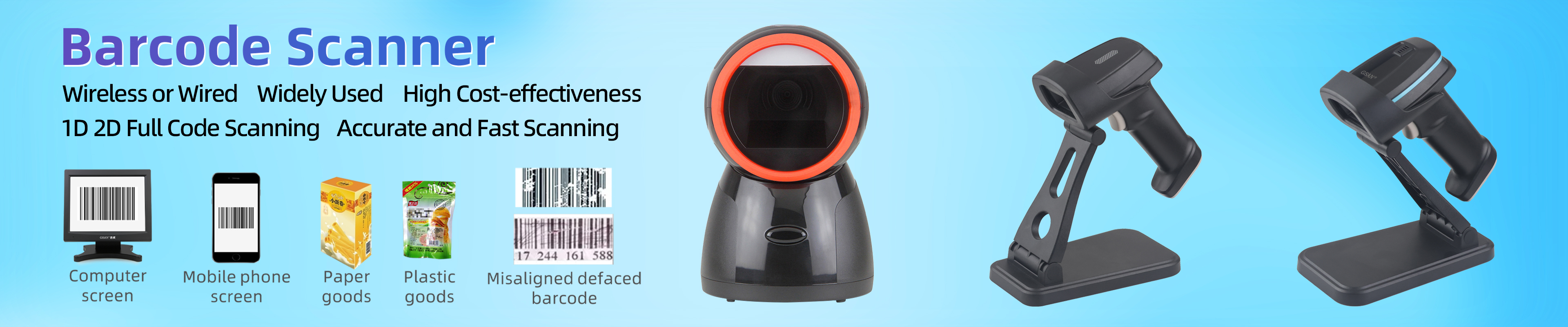
Form factor matters: Heavy or bulky retail items require a wireless barcode scanner, while high-volume standard checkouts benefit from presentation (hands-free) models.
Durability specs (drop rating, IP rating) shouldn't be ignored, even in carpeted retail environments.
You need a highly specific plan before purchasing new checkout hardware. First, identify your primary daily workflow. Ask yourself where employees use the equipment most frequently. Some devices stay permanently stationed at the main cash wrap. Others travel constantly into the backroom for heavy receiving tasks. Employees might even carry them across the active sales floor. Daily inventory counts require highly portable solutions.
Next, analyze your required data types closely. You must deeply understand the difference between standard UPCs and modern digital codes. Physical products typically feature standard 1D lines. However, modern shoppers frequently present QR codes on their smartphones. They use digital coupons and loyalty apps daily. These modern consumer habits strictly require specialized 2D reading capabilities.
Then, determine your average daily checkout volume. A low-volume boutique has vastly different needs compared to a bustling convenience store. Boutiques often prioritize sleek aesthetics. They prefer a very small physical footprint. High-traffic stores strictly demand incredible scan speeds. They rely on continuous reading features to process long lines quickly without pausing between items.
Finally, establish perfect POS compatibility immediately. Your new barcode scanner must integrate seamlessly alongside your existing software platform. Square, Shopify, Lightspeed, and custom ERPs have vastly different hardware requirements. You must also verify compatibility across your specific operating systems. iOS, Android, and Windows tablets all handle external hardware differently.
There are three distinct technologies powering today's scanning hardware. You must understand how they operate to make an informed choice.
Mechanism: This older device uses a sharply directed laser beam. The beam reads the exact space between printed black lines. A moving internal mirror sweeps the laser rapidly across the label to register the data.
Pros/Cons: They are incredibly cost-effective for tight budgets. They read standard paper labels very fast. However, they are completely unable to read digital screens. They cannot decode modern 2D square codes. Cashiers must also align the laser highly precisely over the lines to work correctly.
Mechanism: This technology takes a digital picture of the printed label. It processes the captured image rather than using a bouncing laser beam.
Pros/Cons: They are significantly better at reading poorly printed labels. They easily read slightly damaged or wrinkled 1D labels. They perform remarkably well in exceptionally bright retail lighting environments. However, they still cannot read 2D matrix codes or mobile phone screens.
Mechanism: This advanced device captures a complete, full-size digital image. It processes the image to decode complex 1D and 2D matrix codes instantly. It successfully recognizes data from almost any angle.
Business Value: They are utterly essential for any modern omnichannel retail operation. They enable seamless processing of digital gift cards. Cashiers scan mobile coupons directly from customer phone screens. You can even scan physical driver's licenses for fast age verification. Their omnidirectional reading capability drastically speeds up long checkout lines. Cashiers no longer need to twist their wrists constantly to align the beam.
Scan Engine Technology Comparison
Engine Type | Reads 1D Codes? | Reads 2D Codes? | Reads Screens? | Alignment Needed |
|---|---|---|---|---|
Laser (Legacy) | Yes | No | No | Strict Line Alignment |
Linear Imager | Yes | No | No | Moderate Alignment |
2D Area Imager | Yes | Yes | Yes | Omnidirectional |
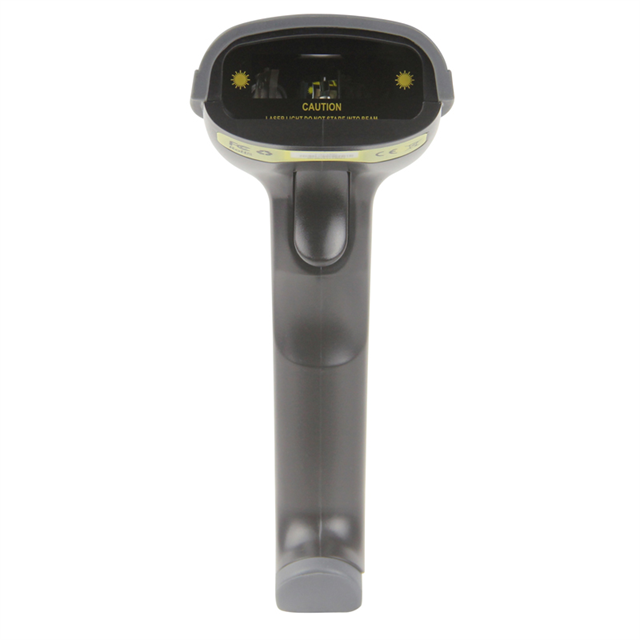
You must actively match the physical shape of the device to your exact store layout.
Best for: General retail environments, simple checkout flows, and budget-conscious hardware setups.
Consideration: These devices are typically tethered directly via a USB cable. This creates frustrating physical limitations at the counter. A standard handheld barcode scanner struggles heavily if items are too bulky. Cashiers cannot lift heavy bags of dog food onto the counter easily. You cannot stretch a short, coiled cable around large merchandise safely.
Best for: Hardware stores, busy garden centers, or specialized boutiques selling heavy items.
Consideration: This option completely eliminates messy, tangled cable clutter. It dramatically prevents repetitive employee physical strain during long shifts. A quality wireless barcode scanner introduces daily battery management responsibilities. You must also evaluate connectivity ranges very carefully. Class 1 and Class 2 Bluetooth devices offer vastly different operating distances. Class 1 reaches up to 300 feet. Class 2 typically drops off after just 33 feet.
Best for: High-volume environments like massive grocery stores or busy pharmacies. Cashiers here urgently need both hands free. They must scan and bag items simultaneously to maintain speed.
Consideration: These heavy-duty units are often considerably more expensive upfront. They also strictly require a dedicated physical footprint on your checkout counter. Some models are built directly into the countertop itself. This requires custom retail furniture and professional installation services.
You must evaluate specific operational metrics beyond just sheer scanning speed.
You must evaluate Ingress Protection (IP) ratings closely. Concrete drop specifications matter tremendously in busy stores. Retail devices are frequently knocked off high checkout counters. Even fully carpeted retail environments present serious drop hazards for electronics. Dust and liquid spills frequently ruin cheap hardware. Look for equipment rigorously tested to survive multiple 1.5-meter drops directly onto concrete. An IP54 rating protects against common dust and splashing water effectively.
Compare simple USB plug-and-play connections against wireless Bluetooth pairing processes. You must firmly verify native integration capabilities first. Do this before purchasing hardware for any iPad or Android tablet POS systems. Avoid relying on buggy third-party middleware applications. They often break during routine tablet software updates. Your primary connection needs rock-solid stability.
Clear operational feedback is highly valuable in noisy retail environments. Cashiers must know if an item registered successfully immediately.
Visual indicators: Bright LED lights flash brightly to confirm successful scans instantly.
Auditory signals: Loud, customizable beeps successfully overcome heavy store background noise.
Haptic alerts: Vibration feedback provides silent confirmation during busy shifts. Luxury boutiques strongly prefer haptic feedback to maintain a quiet atmosphere.
Even the best hardware faces strict physical challenges in real stores.
Scanning customer phone screens under extremely bright overhead store lighting is notoriously difficult. If you select the wrong imaging engine, your staff will struggle daily. Customers often keep their phone screen brightness turned down incredibly low. This complicates the digital reading process significantly. You need aggressive illumination targeting built into the hardware.
Densely populated retail shopping strips often experience heavy wireless signal interference. Stores operating heavy internal wireless infrastructure face highly similar risks. Constant connectivity drops will undoubtedly slow down your entire checkout lane. Consider wired cradles to maintain rock-solid connections when interference gets severe.
You must address the harsh reality of programming new point-of-sale hardware. Most devices require scanning a manual series of printed configuration barcodes. You often need to add specific pre-fixes or suffixes to the output data. Sometimes you must add special carriage returns. Specific POS software requires these exact formatting rules to register inventory items properly.
Wireless models face the extremely practical reality of long operational shift lengths. Lithium batteries naturally degrade over several months of heavy daily usage. You will absolutely need reliable hot-swappable batteries on hand. Alternatively, you must strictly enforce incredibly rigorous overnight charging protocols for your entire management team. Dead hardware completely halts sales.
You can confidently select the perfect hardware by following a highly systematic approach.
Audit your POS system's "supported hardware" list to narrow the field immediately. Do not buy unsupported equipment hoping it works.
Decide firmly between 1D-only or 1D/2D scanning capabilities based on your 3-year digital strategy. Future-proofing saves major headaches later.
Evaluate the exact physical layout of your cash wrap. Determine between a wired handheld, a wireless model, or a presentation scanner. Consider counter space carefully.
Procure a single test unit before outfitting multiple lanes or locations. Let your cashiers test it thoroughly in real conditions.
Treating your checkout hardware strictly as an afterthought guarantees severe operational bottlenecks. These frustrating delays ultimately alienate your paying customers. You must align your technology choices carefully from the very beginning. Match your scanning engine capabilities directly to your physical store layout. Choose a form factor complementing your daily employee workflows perfectly.
This thoughtful preparation creates a remarkably seamless checkout experience. Review your POS hardware compatibility guidelines immediately. Audit your physical counter space today. Once confirmed, request a live demo unit directly from a reputable hardware vendor to test performance.
A: Smartphone cameras completely lack the raw scanning speed required for high-volume retail. They offer terrible ergonomics for continuous daily use. Cameras also lack the precise aiming mechanisms found in dedicated hardware. This severely slows down checkout lines and heavily frustrates your cashiers during busy shifts.
A: A 1D model reads traditional vertical lines found on standard UPC product labels. A 2D model uses advanced imaging technology. It can successfully read complex square QR codes. It easily reads digital mobile screens, customer loyalty apps, and modern mobile payments.
A: You typically connect them using standard Bluetooth pairing protocols. Most devices operate in HID (Human Interface Device) mode. This simply emulates a standard keyboard input. Some advanced setups use SPP (Serial Port Profile) mode for faster, direct software communication.
A: Legacy laser models struggle significantly to read torn or heavily faded barcodes. Modern linear imagers and 2D area imagers handle damaged labels remarkably well. They use highly advanced error-correction algorithms. This allows them to fill in missing data and decode faded labels successfully.


