
Views: 0 Author: Site Editor Publish Time: 2026-04-14 Origin: Site


Are all Cash Registers really the same, or are some businesses still using tools that no longer match how they sell today?
At first glance, the answer may seem simple. A cash register rings up sales, stores cash, and prints receipts. But the category has changed a lot. What many buyers call a cash register now may refer to a traditional till, an electronic cash register, a POS cash register, a touch screen cash register, or even a mobile POS register. That is why the question is no longer just about names. It is about understanding which system fits your workflow, budget, and growth plans.
For store owners, managers, and first-time buyers, this can create real confusion. The different types of cash register may look similar on the counter, but they serve very different business needs. Some are built for simple transactions. Others help manage inventory, reporting, staff access, and multi-channel sales.
In this article, we will discuss the main cash register types, how they differ, and what each one is best suited for. You will also learn how to compare different types of cash registers and choose the right option for your business.
Years ago, a traditional cash register mostly meant a machine that stored cash, added totals, and printed receipts. That definition still matters. But it is not enough anymore.
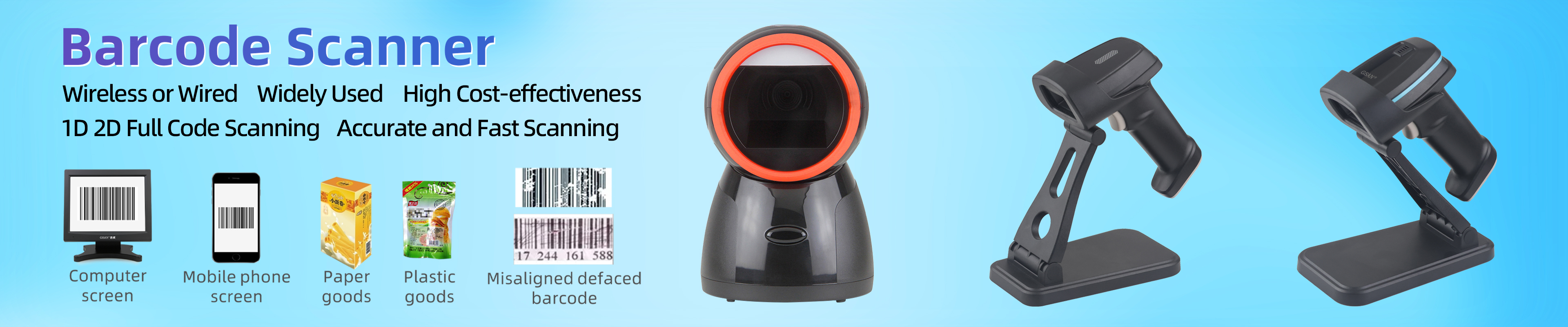
Today, many businesses use the term Cash Registers to describe a much wider checkout system. It may include a screen, payment terminal, barcode scanner, receipt printer, cash drawer, and software that connects them all. In other words, the register is often now the center of the checkout operation.
This shift explains why people often compare cash register vs POS system. A basic register is built to complete a sale. A POS system is built to run the sale and support the business behind it. It can track inventory, create reports, monitor employee activity, and sync data across locations.
So when people search “types of cash register,” they are often looking for more than product shapes. They want to know how each system works in real business use.
Below are the most useful categories for buyers and store operators.
A mechanical cash register is the earliest form of the register. It was invented in 1879 and worked through gears, levers, and a drawer that opened after a sale. Its main job was simple: record the amount and store the cash more securely.
Today, this type is mostly historical. You may still see it in antique shops or themed spaces, but not in normal retail operations. It cannot manage inventory, connect to software, or support modern payment workflows.
Historical context
Decorative or vintage retail environments
No inventory tools
No digital reporting
No modern payment integration
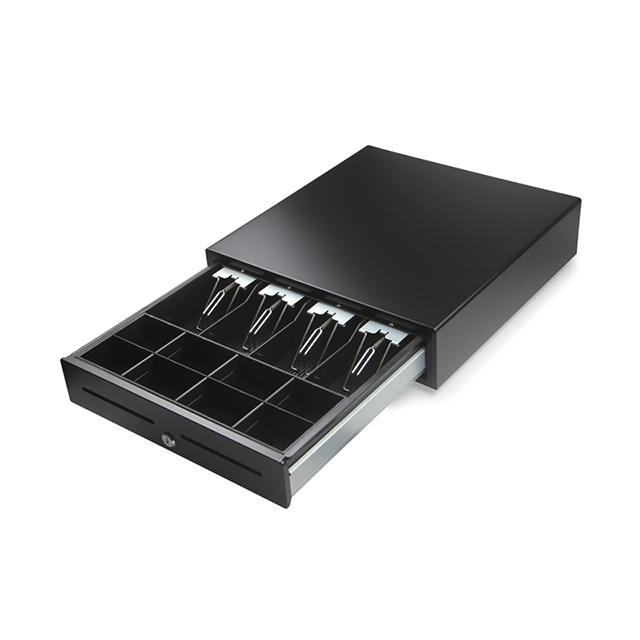
The electronic cash register is the modern version of the old mechanical till. It usually includes a keypad, display, drawer, and receipt printer. Some models also connect to a card terminal or barcode reader. It can process simple transactions and often calculate tax automatically.
For many small operations, this is still one of the most practical cash register types. It is easy to use, usually lower in cost, and often has no monthly software fee. Some references place common ECR pricing around $200 to $800, while broader basic-register ranges may reach $100 to $1,200, depending on model and included hardware. These figures should be verified before publishing as market pricing changes.
But it has a clear tradeoff. An ECR does not usually connect well to inventory software, staff accounts, customer profiles, or cloud reporting. It handles transactions well, but it does not give much business insight.
Small single-location shops
Basic checkout needs
Tight budgets
Simple product catalogs
Weak reporting
No serious inventory control
Hard to scale
Poor fit for multi-location retail
A POS cash register is what most modern stores now use. It combines hardware and software to process payments, manage inventory, track sales, and support daily operations. A countertop POS setup often includes a touchscreen, cash drawer, barcode scanner, receipt printer, and payment terminal.
This is one of the strongest options for types of cash registers for retail because it supports high transaction volume and organized checkout lanes. It is especially useful in grocery, apparel, hospitality, and any business that needs stable peripherals and fast service.
Compared with a traditional register, a POS system does far more. It can generate real-time reports, update stock after each sale, connect to accounting tools, and support multiple payment methods such as cash, cards, NFC, and digital wallets.
Retail stores
Restaurants
Busy checkout counters
Businesses that need reporting and inventory
Higher upfront cost
More setup work
Less portable than tablet or handheld options
A tablet cash register uses a tablet as the main checkout screen. It may stay on a stand at the counter or move when needed. It still connects to a printer, cash drawer, barcode scanner, and payment reader, but it has a smaller and cleaner footprint than a full countertop station.
This option is popular because it offers a strong middle ground. It looks modern, saves counter space, and gives many of the same POS features as a larger setup. It also works well for businesses that want a touch screen cash register without committing to heavier hardware.
A tablet setup can be excellent for boutiques, cafes, quick-service operations, pop-ups, and smaller retail stores. But it still needs planning. Accessories, device updates, Wi-Fi strength, and printer connections all matter.
Small to mid-size retail
Pop-ups
Quick service
Businesses that want flexibility
Accessory management can get messy
Wi-Fi quality affects stability
Support gets harder if devices are inconsistent
Tip: Tablet systems look simple, but they are still full systems. The hardware plan matters as much as the screen.
A mobile POS register or handheld POS lets staff take payments away from the counter. It may run on a smartphone, handheld device, or compact terminal. It is one of the most flexible different types of cash registers because it allows checkout anywhere in the store, at an event, or on the go.
This model works especially well for line busting, pop-up shops, market stalls, delivery, tableside service, and stores that want staff to help customers on the floor. In restaurants, it can send orders directly to the kitchen. In retail, it can reduce queue pressure and improve customer flow.
Still, not every mobile setup is equal. Some simple handheld systems only take card payments and send e-receipts. Others are part of a full POS network and sync with stock, customer data, and reporting.
Pop-ups and events
Food trucks
Farmers’ markets
Queue busting
Tableside service
Some models do not handle cash well
Battery and charging discipline matter
Weak integration can create bookkeeping work
A cloud-based cash register stores core POS data online and syncs it across devices and locations. The front end may be a tablet, terminal, or PC, but the real value comes from central visibility. Managers can check sales, stock, and performance from anywhere.
This is often the strongest option for growing businesses. It supports real-time reporting, easier software updates, remote support, and multi-store control. It also works well when a business wants to connect its physical store to e-commerce, accounting, or marketing systems.
The main risk is connectivity. A cloud system needs a reliable network and a clear offline plan. Without one, even a strong platform can create stress during service hours.
Multi-location retail
Omnichannel brands
Growing businesses
Teams that need remote visibility
Internet dependency
Ongoing software fees
Offline mode must be reviewed before purchase
Type | Main Strength | Main Weakness | Best For |
Mechanical cash register | Historic simplicity | Not practical today | Vintage or decorative use |
Electronic cash register | Low cost, easy to use | Limited features | Small simple shops |
Countertop POS cash register | Strong features, stable setup | Higher cost, less portable | Busy retail and restaurants |
Tablet cash register | Flexible, sleek, space-saving | Accessory and Wi-Fi dependence | Boutiques, cafes, pop-ups |
Mobile POS register | Portable, fast checkout anywhere | May need stronger integration | Events, food trucks, line busting |
Cloud-based cash register | Centralized control, scalability | Needs internet planning | Multi-store and growing brands |
This is one of the most common buyer questions, and it matters because many people use the terms loosely.
A cash register vs POS system comparison is really a comparison between a transaction tool and an operations tool. A basic register records the sale, stores the cash, and prints the receipt. A POS system does that too, but it also manages inventory, reporting, customer data, payments, and sometimes employee workflows.
If your business only needs simple transactions, a register may be enough. If you need insight, automation, or growth support, a POS system usually becomes the better choice.
Here is a simple way to think about it:
Choose a traditional cash register if you want low cost and low complexity.
Choose a POS cash register if you want better control and room to grow.
The best answer depends on workflow, not just budget.
An electronic cash register may be enough if you sell a limited number of items, mostly take cash or basic card payments, and do not need advanced reports.
A retail cash register is usually best when it is POS-based. Retailers often need barcode scanning, stock updates, discount control, and staff permissions. Tablet and countertop POS systems are usually the strongest fit.
A countertop or mobile POS setup usually works best. Restaurants benefit from fast order flow, tableside service, and station stability.
A mobile POS register or tablet system is often the best choice. It keeps hardware light and makes setup faster.
A cloud-based POS system is usually the clear winner because it provides centralized reporting, remote oversight, and easier scaling.
No matter which type you choose, some features deserve close review.
Look for support for cash, cards, contactless payments, and mobile wallets if your customers expect them. Modern POS systems often support more payment types than basic registers.
This matters most in retail. If your stock changes often, real-time inventory tracking can prevent lost sales and poor reordering decisions.
A system should help you see daily totals, best sellers, peak hours, and payment mix. Basic registers usually stop at simple totals. POS systems go much further.
Check the printer, barcode scanner, cash drawer, display, and payment terminal. Weak peripheral planning causes many checkout problems.
This is easy to ignore until the network fails. If you choose a cloud system, ask how it handles outages.
A low upfront cost may look attractive now, but it can become a bad fit later if you add staff, products, or locations.
Tip: For B2B buyers, the support model matters almost as much as the device itself. A good register is easier to maintain, train, and standardize across stores.
A smart way to decide is to review four areas.
Do you have a fixed counter, mobile selling, or both? Countertop lanes need stable peripherals. Mobile lanes need battery, wireless stability, and quick recovery steps.
If you only sell a few items, a simple register may work. If you manage many SKUs, colors, sizes, or reordering cycles, a POS system is usually safer.
A register often has a one-time cost. A POS system usually has hardware, software, and payment-processing costs. That means you should compare total cost, not just sticker price.
If you plan to stay small, a basic solution may be enough. If you plan to add staff, sell online, or open more locations, choose a system that can scale before the pain starts.
So, what are these types of cash register?
They range from the old traditional cash register to the electronic cash register, then move into more advanced options like the POS cash register, touch screen cash register, tablet cash register, mobile POS register, and cloud-based systems. The real difference is not just age or hardware style. It is what the system can do for the business behind the counter.
For very simple operations, an ECR can still work. For most modern retailers, though, a POS-based system gives stronger value because it helps process payments, manage inventory, track performance, and support future growth. That is why, for many businesses today, the best answer to “what type of cash register do I need?” is really a question about how much control, visibility, and flexibility they want from checkout.
If you want the simplest possible answer, remember this:
Mechanical cash registers are historical.
Electronic cash registers are basic and affordable.
Countertop POS cash registers are powerful and stable.
Tablet cash registers are flexible and modern.
Mobile POS registers are portable and fast.
Cloud-based systems are best for growth and central control.
In conclusion, the best option is the one that matches your workflow today and still supports your business tomorrow. For businesses seeking reliable POS hardware and practical checkout solutions, GSAN offers products designed to improve transaction speed, support daily operations, and create a smoother retail experience. Its solutions can help businesses gain better efficiency, flexibility, and value from their checkout setup.
Q: What are the main types of Cash Registers?
A: Mechanical, electronic, countertop POS, tablet, mobile POS, and cloud-based systems.
Q: What is an electronic cash register?
A: It handles basic sales, receipts, and simple payment processing.
Q: Why do many retailers choose POS cash registers?
A: They support inventory, reporting, staff control, and faster checkout.
Q: How do I choose between cash register vs POS system?
A: Choose a register for simple sales, and POS for growth and control.
Q: Are mobile POS registers more expensive?
A: Not always. Costs vary by hardware, software, and payment fees.