
Views: 0 Author: Site Editor Publish Time: 2026-04-24 Origin: Site


Choosing among today’s cash registers is no longer a simple hardware decision. In 2026, most small businesses are really choosing between two paths: a basic electronic cash register for small business or a more flexible POS cash register that handles payments, inventory, reporting, and staff workflows in one place. That shift shows up across competitor coverage too, where “cash registers” now often include POS-led systems for retail, restaurants, and mobile sellers.
For many owners, the real question is not just which model is popular. It is which setup fits the way the business actually sells. A bakery, a boutique, and a pop-up booth do not need the same checkout system. The best choice depends on volume, payment mix, inventory needs, and how much complexity you can justify.
The fastest way to compare a cash register for small business is to focus on the parts that affect daily operations:
checkout speed
payment flexibility
inventory control
reporting depth
staff permissions
internet dependence
total ongoing cost
A traditional register still works well when you mainly need to ring up sales, print receipts, and store cash. A modern POS system does more. It can track stock in real time, accept digital payments, store customer data, and generate reports from one dashboard. That is the biggest difference in the cash register vs POS system decision.
The best cash register for small business is not always the most advanced one. It is the one that reduces friction at checkout and gives you the right level of control.
A basic register may be enough if you:
run a cash-heavy shop
have a very small catalog
work in areas with weak internet
want minimal monthly cost
A POS-led setup is often better if you:
accept cards and mobile wallets every day
need inventory tracking
sell online and in store
manage staff or multiple locations
A smart comparison guide should sort options by use case, not just brand. Across the competitor set, a few patterns are clear. Square is positioned as a strong all-round choice for newer and growing businesses. Shopify is strongest for unified retail and online selling. Toast is built for food service. Clover works well for retailers that want dual-screen hardware and app extensions. Lightspeed fits more complex retail catalogs and multi-store needs.
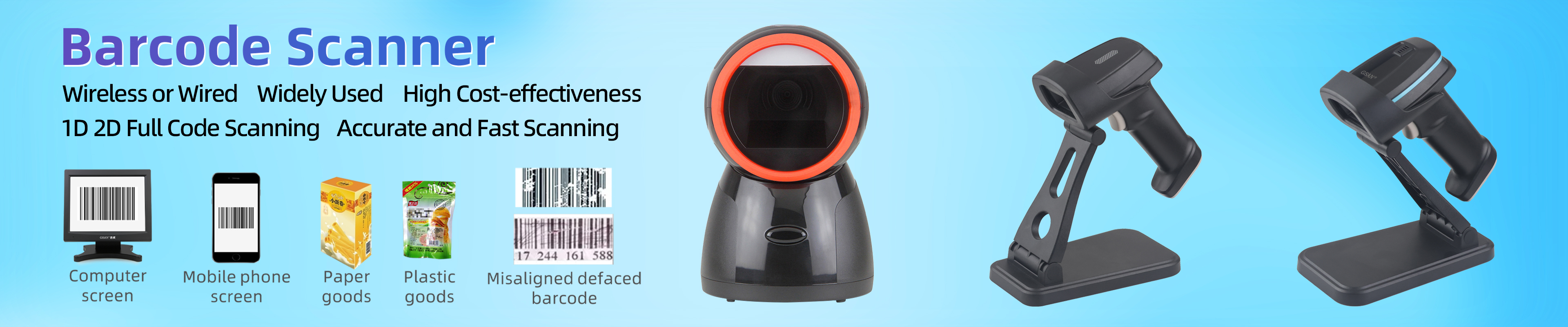
For retail, speed and stock visibility matter most. Stores often benefit from barcode scanning, receipt printing, promotions, and product-level reporting. That makes retail-focused POS systems more attractive than a plain retail cash register. Shopify and Lightspeed both emphasize inventory and multi-store visibility, while Clover also adds staff and app flexibility.
Restaurants need menu management, order customization, kitchen workflows, and tip handling. In this setting, a touchscreen POS register usually beats a basic register. Toast stands out here because it is built around food-service operations, including kitchen displays and restaurant workflows.
Mobile businesses need portability, fast setup, and offline resilience. Square, SumUp, and Zettle are better fits for this group than a bulky countertop register. They are lighter, easier to deploy, and better aligned with card-present mobile payments.
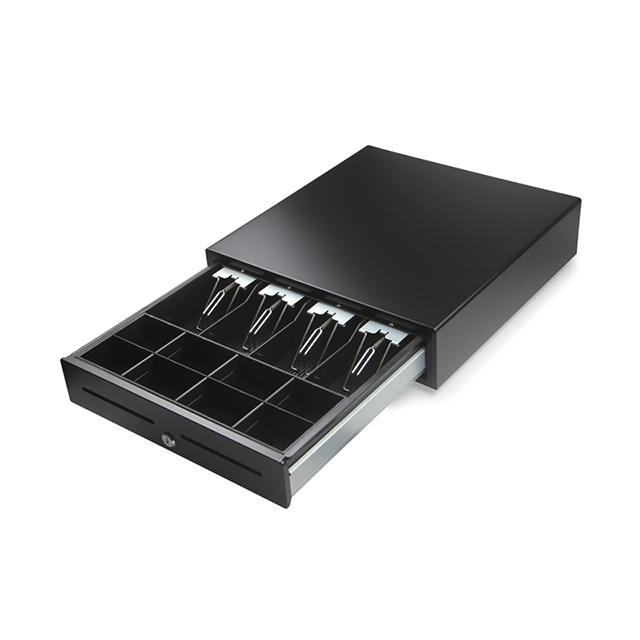
If you only need to total sales, open a drawer, and print receipts, a traditional electronic cash register can still make sense. Competitor content consistently notes that classic tills remain useful for cash-only operations, rural locations, and owners who want to avoid monthly software fees.
Tips: If your business expects to add online sales within a year, start with a POS-ready system now. Migration later usually costs more time than money.
This is the core buying decision.
A traditional register is a stand-alone machine. It handles transactions well, stores cash, and usually prints receipts. It is simple. It is fast to learn. It often has no mandatory software fee. But it gives you limited data and little room to scale.
A POS system is broader. It combines hardware and software. It can track inventory, manage staff access, support loyalty, sync sales across channels, and show reports remotely. That is why the line between cash registers and POS systems keeps narrowing in buyer guides.
Use a traditional register when simplicity is the priority.
Use a POS system when visibility and growth matter more.
Here is a quick side-by-side view:
Need | Traditional Cash Register | POS Cash Register |
Cash handling | Strong | Strong |
Card payments | Often needs separate terminal | Usually built in |
Inventory tracking | Very limited | Real-time or advanced |
Remote reporting | No | Yes |
Customer data | No | Usually yes |
Monthly fees | Often none | Common |
Best fit | Cash-heavy, simple ops | Retail, restaurant, growth-focused businesses |
That pattern also appears in competitor comparisons, which frame traditional registers as simpler and cheaper upfront, while POS systems provide better inventory, reporting, and payment flexibility.
Many small businesses over-focus on hardware and under-focus on workflow. That is a mistake.
1. Payment acceptance
Customers expect flexibility. Good systems should support cash, cards, contactless payments, and mobile wallets. Competitor coverage repeatedly treats payment flexibility as a baseline expectation for modern checkout.
2. Inventory management
If you manage more than a small product list, inventory matters. A POS system can update stock after every sale, return, or exchange. That saves time and reduces manual errors. Shopify and other POS-led guides put this near the top of the feature list for good reason.
3. Reporting and analytics
A good small business cash register should help you see what sells, when traffic peaks, and which staff shifts perform best. Basic registers rarely go far here. POS systems usually do.
4. Staff controls and training
Unique logins, permissions, and shift visibility matter once more than one person uses the till. This is especially important in retail and food service.
Price is where many buyers misread the market.
A traditional register often looks cheaper because the hardware is cheaper and monthly fees may be zero. Competitor pricing ranges suggest about $150–$700 for traditional tills, while entry-level integrated POS hardware often lands around $300–$800, with broader full-station systems going higher. Monthly software can range from free to $200+, depending on complexity.
System type | Typical cost pattern |
Traditional electronic cash register | Lower upfront cost, few or no monthly fees |
Entry-level POS setup | Moderate hardware cost, possible free software tier |
Advanced retail or restaurant POS | Higher hardware cost plus monthly subscription |
“Free hardware” deals | Lower upfront cost, but higher processing fees |
That last point matters. Some systems reduce hardware cost by charging higher transaction fees. Toast is a clear example in competitor content: pay-as-you-go can mean no upfront hardware cost, but higher processing fees over time.
Do not compare sticker price alone. Compare:
upfront hardware spend
monthly software fee
payment processing fee
contract length
support cost
upgrade cost after 12 months
That is the real cash register cost vs POS system comparison. In many cases, the POS option costs more at the start but saves labor, reduces stock issues, and gives better sales visibility.
Tips: Run the math on one year of transactions before choosing a “low-cost” plan. Processing fees often change the winner.
A better buying process is simple.
A shop handling 200 small tickets a day needs speed and reliability. A furniture store with 10 tickets a week may not. High-volume operations should prioritize checkout flow, barcode use, and faster payment acceptance.
If you manage variants, bundles, or many SKUs, a POS system usually makes more sense than a classic register.
Use a retail-focused system for stores. Use a restaurant-focused system for menu-based operations. Use a portable option for pop-ups and market sellers.
If you expect multi-location selling, e-commerce, loyalty, or stronger reporting, do not buy a system that you will outgrow in six months. Competitor guidance consistently recommends testing 3–4 systems, checking contracts, and validating must-have features before rollout.
The wrong system usually comes from one of four mistakes:
A very cheap register may work now, then fail once inventory, staff, or online sales grow.
A free plan is not always cheaper. Payment rates and contract terms can erase the savings fast.
Not every small business needs loyalty, advanced analytics, or multi-store controls on day one.
Warranty, maintenance, updates, compatibility, and vendor support still matter. Even a good system creates problems if service is weak.
Here is the simplest way to narrow your shortlist:
Business type | Best-fit option | Why |
Small retail shop | Retail POS cash register | Better inventory, barcode use, reporting |
Café or restaurant | Restaurant POS register | Better menus, modifiers, kitchen workflow |
Pop-up or market seller | Mobile POS system | Portable, flexible, easier card acceptance |
Cash-only micro business | Electronic cash register | Low complexity, low recurring cost |
Omnichannel retailer | POS system with commerce sync | Better online + in-store visibility |
In practical terms, the best cash register for small business in 2026 is often a POS-driven system, not a legacy machine. Traditional registers still have a role, but mostly where simplicity, low cost, and offline cash handling matter more than reporting or inventory depth. That conclusion broadly matches the direction shown in the competitor landscape.
Most small businesses should not ask, “Which cash register is cheapest?” They should ask, “Which checkout system fits the way we sell today, and where we want to be next year?”
If you run a simple, cash-heavy business, a traditional electronic cash register for small business may still be enough. If you need card payments, inventory visibility, staff control, or omnichannel selling, a POS cash register is usually the better long-term choice.
The safest buying path is clear:
map your daily sales flow
list must-have features
estimate one-year total cost
test a short list before buying
GSAN delivers practical checkout solutions that help small businesses run faster, serve customers better, and scale with more confidence.
Tips: The best system is the one your staff can use fast, your customers can pay through easily, and your business can still grow with next year.
Q: What are the best Cash Registers for small business in 2026?
A: The best fit depends on your store type, sales volume, and feature needs.
Q: Cash register vs POS system: which is better?
A: A POS system is better for inventory, cards, and reporting. A basic register suits simple cash sales.
Q: How much does a cash register for small business cost?
A: Traditional models cost less upfront. POS cash register setups often add software and processing fees.
Q: Why choose electronic cash registers today?
A: They are simple, reliable, and useful for cash-heavy or low-tech operations.
Q: What should I check before buying Cash Registers?
A: Compare payments, inventory tools, reporting, support, and total cost.