



Views: 0 Author: Site Editor Publish Time: 2026-08-16 Origin: Site


Supermarket margins are notoriously thin. Checkout bottlenecks remain the primary cause of customer dissatisfaction and cart abandonment. Shoppers simply hate waiting in long, slow-moving lines to pay. We must shift the narrative away from seeing automated registers merely as labor-saving tools. Instead, we should view them as critical drivers of modern customer experience (CX) and store throughput. When queues vanish, shopper loyalty naturally grows. A smooth exit process directly influences how people perceive your entire brand.
You need a solid framework for evaluating hardware and software options. We will explore how the right solutions balance shopper autonomy with operational security. You will learn proven strategies for seamless integration. Ultimately, this guide helps you build a superior, high-efficiency retail environment.
Queue Reduction: Self-service options drastically cut wait times during peak hours, directly elevating shopper satisfaction metrics.
Frictionless Upselling: Intuitive interfaces naturally increase basket sizes through pressure-free, automated cross-selling.
Ecosystem Integration: Modern units function not as standalone machines, but as vital nodes within your broader retail POS and inventory ecosystem.
Risk Mitigation: Next-generation loss prevention (AI vision, smart scales) protects margins without introducing aggressive friction to the user journey.
Retail environments face a massive operational challenge today. Stores must process high volumes of transactions quickly. However, traditional cashier lanes often fail to keep up during peak hours. This friction damages the overall shopping experience.
Industry baselines show a clear breaking point for customer patience. When wait times exceed five minutes, return-visit intent drops sharply. Shoppers feel their time is wasted. Cart abandonment spikes during these bottlenecks. Customers often leave full baskets in the aisles. They simply walk out rather than endure a massive line. This translates directly into lost revenue. A slow checkout process ruins an otherwise perfect store visit.
Demographics are shifting rapidly. A growing segment of consumers now prioritizes transaction speed over human interaction. They demand privacy and control over their checkout journey. Many shoppers prefer avoiding unnecessary small talk. They want to scan their items, pay, and leave. This autonomy makes them feel empowered. If you force these buyers into a traditional lane, they feel frustrated. Offering them a choice is no longer optional. It is a baseline expectation for modern retail.
We must clarify a common misconception. The goal is not replacing staff entirely. Instead, stores should reallocate human capital. Machines handle routine, repetitive transactions flawlessly. Store teams can then focus on high-value CX tasks. They can assist shoppers in the aisles. They can manage complex fresh food displays. They can resolve unique customer issues. This hybrid approach maximizes operational throughput. It ensures your staff delivers real value where humans excel.
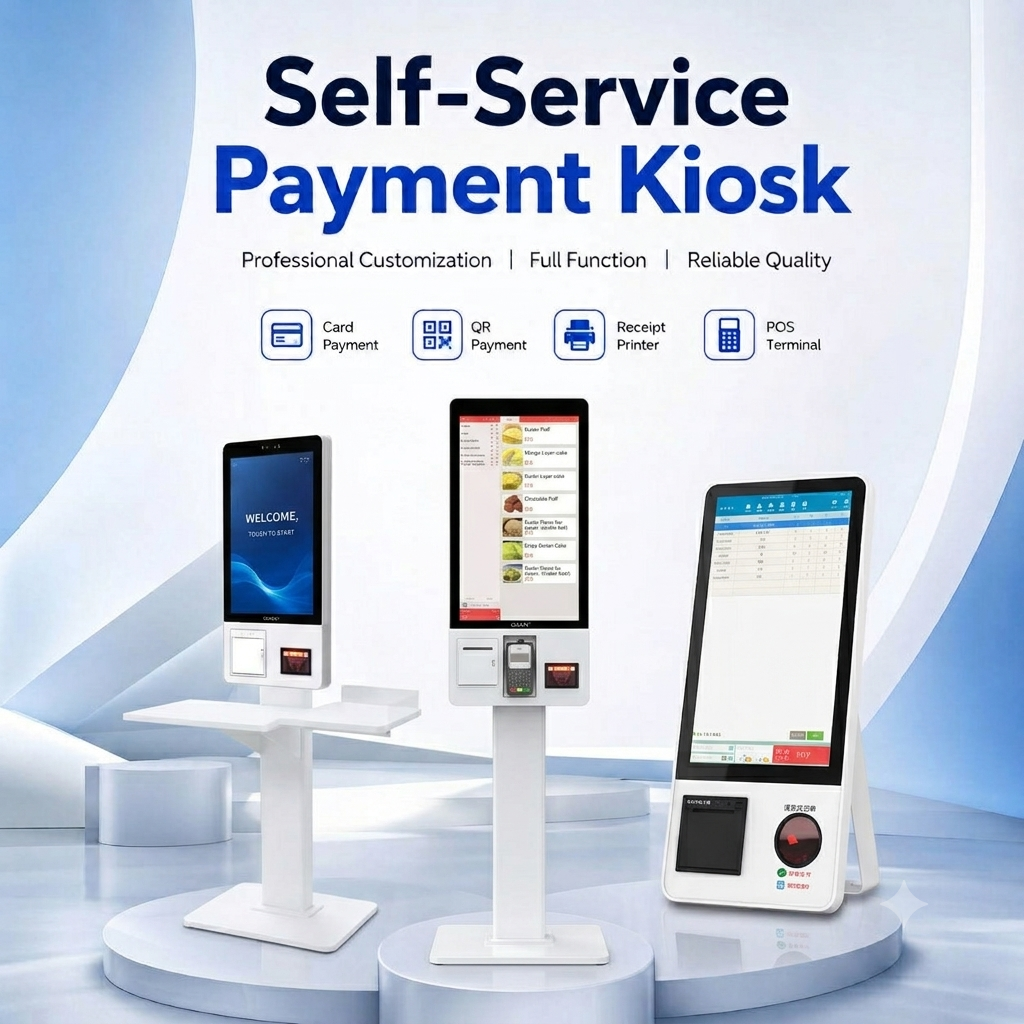
Modern consumers evaluate supermarkets based on convenience. Investing in a self-checkout kiosk directly upgrades this metric. It removes friction from the most critical touchpoint in the store.
Shoppers love controlling their own checkout pace. Giving customers control over scanning reduces perceived wait times. It also lowers checkout anxiety. Some people like to bag items carefully. They group frozen foods together. They separate fragile items like bread and eggs. A cashier might rush this process. When customers do it themselves, they feel satisfied. They dictate the speed of the transaction.
Privacy is a massive psychological benefit. Shoppers frequently buy sensitive or personal items. Examples include medications, personal care products, or certain hygiene items. Buying these items in front of a human cashier can feel awkward. Automated lanes remove this human oversight entirely. Customers appreciate the discretion. This privacy builds trust and encourages repeat visits.
Automated interfaces are excellent sales tools. They drive consumer spending more effectively than manual cashier scripts. Cashiers often forget to ask promotional questions. They feel awkward upselling. A machine never forgets. It can display automated prompts seamlessly. "Would you like to add a reusable bag?" "Do you want to apply your loyalty points?" These pressure-free prompts naturally increase basket sizes. Customers respond better to screen prompts than verbal pitches.
Supermarkets serve highly diverse neighborhoods. UI features must adapt to these diverse demographics. Kiosks can instantly switch languages. This provides a standardized, high-quality experience for non-native speakers. Accessibility features also support visually impaired or wheelchair-bound shoppers. You eliminate language barriers. You make your store welcoming to everyone.
Here are the core CX benefits summarized:
Empowers shoppers to bag items exactly how they prefer.
Removes social friction when purchasing sensitive items.
Increases revenue through consistent, automated upselling.
Adapts instantly to the language needs of the user.
Hardware is only half the equation. The underlying software dictates the actual success of your deployment. You must evaluate how the unit communicates with your existing infrastructure. A standalone machine creates operational nightmares. A deeply integrated system drives efficiency.
Your new hardware must sync flawlessly with the central self-service POS system. This connection handles live inventory deductions. It ensures pricing accuracy across the entire store. If an item goes on sale, the automated register must reflect it instantly. Delayed syncing causes pricing disputes. It angers shoppers and requires staff intervention. Real-time data flow is absolutely critical.
Shoppers engage with brands across multiple channels. They use mobile apps, paper coupons, and digital wallets. Frame your evaluation criteria around this omnichannel reality. The system must accept digital coupons effortlessly. It needs to read app-based loyalty QR codes instantly. It must support multi-tender payments. A customer might pay half in cash and half via smartphone. The machine must handle this without freezing.
Technology evolves rapidly. You should advise your procurement team to select systems featuring upgrade paths. Look for modular scanners. Seek out plug-and-play payment terminals. This prevents premature obsolescence. If a new payment method emerges, you just swap the terminal. You do not replace the whole unit. Modularity protects your initial investment.
System Integration Comparison Chart
Integration Feature | Legacy Standalone Units | Modern Connected Systems |
|---|---|---|
Inventory Syncing | End-of-day batch processing | Real-time live deduction |
Loyalty App Support | Requires manual barcode scanning by staff | Direct QR code integration |
Pricing Updates | Manual push required | Instant global synchronization |
Hardware Upgrades | Full machine replacement needed | Modular plug-and-play components |
We must address the elephant in the room objectively. Allowing customers to scan their own items introduces risks. Theft and mis-scans are real challenges. However, you can mitigate these risks without ruining the shopper experience.
Shrinkage impacts profitability. Some shoppers make honest mistakes. They might miss a barcode. Others exploit the system intentionally. They might swap a high-value barcode for a low-value one. This is a known operational vulnerability. Ignoring it is dangerous. But overreacting to it creates a hostile shopping environment.
Modern solutions deploy highly advanced validation tools. A reliable supermarket self-checkout system uses integrated weight scales. These scales know exactly what an item should weigh. New units also leverage computer vision and AI algorithms. Cameras look at the item being scanned. The AI verifies if the visual matches the barcode. They do this instantly. They verify items without halting the transaction unnecessarily. The shopper rarely notices the security layers.
This is a critical metric for retail operators. The intervention ratio measures how often the machine interrupts a shopper. "Unexpected item in bagging area" is the classic, frustrating example. A successful setup minimizes these false positives. High false positives anger customers. They also overwhelm your store attendants. The system must keep the CX smooth. It should only trigger an alert to catch genuine anomalies. Fine-tuning the weight tolerances improves this ratio drastically.
Common Mistakes in Loss Prevention:
Setting weight tolerances too strictly, causing endless error messages.
Using alarms that embarrass shoppers publicly over honest scanning mistakes.
Failing to update the product weight database when manufacturers change packaging.
Buying the right hardware is a great start. Deploying it correctly is entirely different. Poor store layouts and untrained staff will ruin the best technology. You must follow strict best practices during rollout.
Kiosk placement requires strategic thinking. Consider the physical footprint carefully. Corral layouts generally work better than linear setups. A corral channels traffic to the first available machine. This reduces waiting anxiety. Optimize your entry and exit flow. Ensure shoppers can navigate the space easily. You must also provide adequate bagging space. Supermarket-sized carts hold many items. Tiny bagging areas frustrate customers trying to unpack large loads.
The human element remains vital. Frame your self-checkout host as a customer service ambassador. They are not security guards. Their job is to guide, assist, and smile. Outline strict training requirements for these roles. Staff must learn rapid intervention techniques. They need to clear errors swiftly. They must also learn de-escalation tactics. If a machine freezes, the shopper might become agitated. A calm, helpful attendant turns a bad moment into a positive brand interaction.
Do not launch everywhere at once. Recommend a pilot-program approach first. Deploy the machines in one or two test stores. Use this time to test UI usability. Observe how local shoppers interact with the screens. Test the hardware reliability under peak stress. Measure local adoption rates. Gather feedback from the store attendants. You can fix software bugs during the pilot. Once the system runs smoothly, you can execute a chain-wide rollout confidently.
A well-implemented automated checkout lane transforms your store operations. It represents a powerful convergence of customer convenience and operational efficiency. You empower shoppers while streamlining store traffic.
Decision-makers must evaluate vendors holistically. Do not judge options just on upfront hardware costs. You must evaluate POS integration depth. You must scrutinize AI-driven loss prevention capabilities. You should also demand clear long-term maintenance service level agreements (SLAs). Reliable support keeps lanes open.
Your next step is clear. Take action to modernize your front end. Request a pilot demo from a trusted vendor. Ask for a customized ROI projection. Base this projection on your specific foot traffic and average basket size. Upgrading your checkout experience is the fastest way to build lasting customer loyalty.
A: It generally takes four to eight weeks. The timeline depends heavily on API dependencies and legacy software constraints. Initial scoping takes a week. Custom API development takes two to three weeks. You must also allocate two weeks for rigorous closed-loop testing. This ensures live inventory and pricing sync perfectly before facing actual customers.
A: They primarily stabilize labor costs rather than drastically eliminating headcount. They allow you to reallocate existing hours. Instead of sitting behind a register, staff can manage fresh inventory. They can fulfill online grocery orders. They can assist shoppers in the aisles. This improves overall store efficiency and revenue potential.
A: There is no single universal ratio. It depends on your store footprint and peak traffic volume. A common benchmark for modern supermarkets is a 60/40 split. Sixty percent automated lanes handle quick baskets. Forty percent traditional lanes serve large carts and shoppers needing extra assistance.
A: When an age-restricted item is scanned, the system pauses the transaction. It digitally flags the attendant app. The attendant receives an alert on their mobile device or terminal. They visually verify the shopper's ID and approve the purchase remotely. Emerging biometric verifications are also testing automated facial age estimation.


