



Views: 0 Author: Site Editor Publish Time: 2026-07-21 Origin: Site


Retailers face compounding margin pressures today. Rising labor costs eat into store profits. Modern shoppers demand seamless omnichannel fulfillment. These challenges quickly expose the harsh inefficiencies of patched-together legacy systems. Operational friction skyrockets when you rely on disconnected inventory, sales, and accounting tools. Store staff waste hours fixing data errors instead of helping customers. Warehouses struggle to maintain accurate counts. You need a more reliable way to run your business.
Transitioning to a complete POS system changes everything. It shifts store operations from reactive troubleshooting to proactive management. This transition directly boosts inventory accuracy. It increases employee productivity across the board. Ultimately, this technology protects your bottom line. You will learn how modern unified platforms eliminate damaging data silos. We will explore exact strategies to measure your return on investment. You will also discover how to evaluate and implement the perfect software solution for your retail environment.
An all in one POS system centralizes data, eliminating manual reconciliation between the sales floor and the warehouse.
Real-time data synchronization is the primary driver of efficiency, preventing stockouts and optimizing procurement.
Evaluating a retail POS system requires moving beyond feature lists to assess implementation risks, scalability, and integration capabilities.
Successful adoption depends as much on change management and staff training as it does on software capabilities.
Many growing retailers unintentionally adopt a fragmented technology stack. You might buy one application for employee scheduling. You purchase another program for customer loyalty. You use basic cash registers for point of sale. You track warehouse stock on complex spreadsheets. Operating this way introduces a massive technology tax. Staff must constantly jump between different applications. They manually copy data from one screen to another. This repetitive administrative work steals time from actual customer service.
Data silos represent the most dangerous consequence of fragmented technology. When systems do not communicate instantly, data syncing delays occur. These delays cause significant problems. Your e-commerce site might sell items you already sold out in-store an hour ago. This overselling damages customer trust. Warehouse counts become unreliable. Poor purchasing decisions follow because buyers rely on outdated stock numbers. Operating without unified data feels like driving a car blindfolded.
The unified alternative resolves these friction points. Upgrading to an all in one POS system establishes a single source of truth. Today, a unified platform means it uses cloud-native architecture. It relies on one central database for every store location. It features robust API extensibility to connect external tools seamlessly. When you process a transaction, the inventory updates everywhere instantly. You stop guessing about your stock levels. You gain total control over your business data.
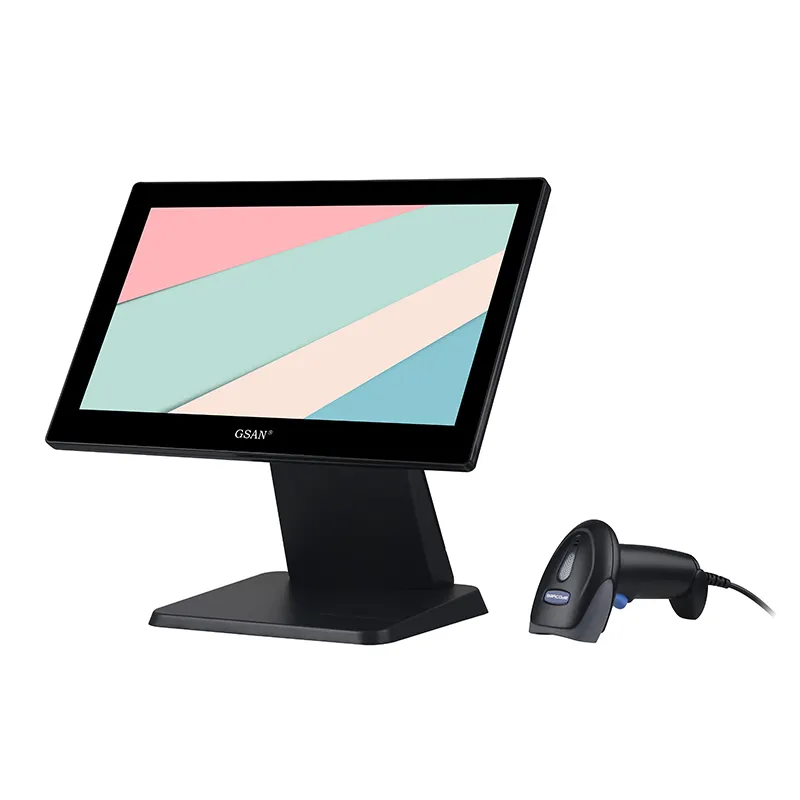
Modern point of sale software dramatically reduces transaction times. The secret lies in intuitive user interfaces. Developers design these screens to minimize daily keystrokes. Cashiers find products faster using visual grids or rapid barcode scanning. New hires learn the register in minutes instead of days. This intuitive design shortens checkout lines during peak hours.
Mobile POS (mPOS) extensions push productivity even further. You do not have to keep staff trapped behind a massive cash wrap. Employees can carry tablets across the sales floor. They can check stock levels for a customer instantly. They can process payments right in the dressing room. This line-busting capability prevents walk-outs during busy holiday seasons. It transforms your staff from basic cashiers into highly effective sales consultants.
Connecting front-end sales data to back-end warehouse operations changes how you manage stock. Real-time synchronization acts as the engine of retail efficiency. When a customer buys a shirt at the counter, the central database reflects the change instantly. The warehouse sees the exact same numbers as the store manager. This visibility eliminates frustrating manual cycle counts.
Automation handles the heavy lifting of procurement. The software monitors stock levels around the clock. You set specific minimum thresholds for your best-selling items. The system triggers automated low-stock alerts before you run out entirely. It can even auto-generate purchase orders for your vendors. Managers simply review the drafted order and click approve. This automated workflow saves dozens of administrative hours every single week.
Fragmented systems force managers to export data endlessly. You download one CSV file for daily sales. You download another CSV for labor costs. You spend hours merging them to figure out your profit. Unified reporting eliminates this tedious chore. Managers access comprehensive dashboards tracking every metric in real-time. You see the full picture immediately.
Centralized data provides deeply actionable insights. Retailers use these unified analytics to drive profitability through several key methods:
Identifying slow-moving stock: Pinpoint products gathering dust and discount them before they lose all value.
Optimizing staffing levels: Overlay foot traffic data over sales volume to schedule exactly the right amount of staff during peak hours.
Calculating true landed margins: Factor in shipping, labor, and vendor costs to see the actual profit of every single item.
Tracking loyalty impact: Measure exactly how much more revenue your VIP customers generate compared to guest checkouts.
Business owners must measure the financial impact of a new retail POS system accurately. Do not blindly buy software hoping for the best. You must establish strict baseline metrics before you upgrade. Audit your current operations for one month. Track your inventory shrinkage rate meticulously. Measure your average customer checkout time during peak traffic. Record exactly how many hours your staff spend on daily reconciliation. You need these numbers to prove the investment works.
Here is a breakdown of common metrics you should track.
Operational Metric | Legacy System Baseline (Example) | Unified System Target |
|---|---|---|
Average Checkout Time | 3.5 minutes | Under 1.5 minutes |
Daily Till Reconciliation | 45 minutes per register | Under 10 minutes |
Inventory Accuracy Rate | 75% - 82% | 98% - 99% |
New Employee Training | 3 to 5 shifts | 1 shift |
Provide a balanced view of realistic projections. Software cannot magically fix bad retail management overnight. You must invest substantial initial time into setting up the system correctly. Entering clean SKU data takes weeks. Mapping out your loyalty rules requires deep thought. However, the efficiency gains compound rapidly once you finish the setup phase.
Frame the investment as a massive cost-to-value shift. Do not view the software license as just another monthly bill. It represents a direct reduction in labor waste. Every hour your manager saves on paperwork is an hour spent coaching the sales team. You recapture lost sales by preventing stockouts. The software pays for itself by plugging the operational leaks draining your profit margin.
Retailers must choose between cloud-based platforms and on-premise solutions. On-premise systems store data on physical servers in your back office. They require heavy IT maintenance. Cloud architecture stores data securely on remote servers. Cloud models offer far superior remote-management efficiency. You can sit in a coffee shop and update the pricing for fifty store locations simultaneously. Multi-location retailers absolutely require cloud scalability to grow without hiring a massive IT department.
No software does everything perfectly. You will still need specialized tools for certain tasks. This makes a provider's integration ecosystem critical. Look for native, out-of-the-box integrations. Your registers must connect directly to standard accounting software like QuickBooks or Xero. This prevents painful dual-entry accounting errors. Your physical stores must sync flawlessly with e-commerce platforms like Shopify or BigCommerce. Verify open API access so you can build custom connections later if needed.
Payment security remains entirely non-negotiable. Cyber threats target retail data constantly. Your chosen provider must guarantee strict PCI DSS compliance. Look for end-to-end encryption to protect credit card numbers during transmission. Uptime matters just as much as security. Internet outages happen to everyone. Your software must feature a robust offline mode. This capability queues transactions locally when the internet drops. It syncs the data automatically once the connection returns. You never have to turn away paying customers.
Upgrading your retail technology carries unavoidable risks. Data migration presents the largest challenge for most retailers. Moving old data into a new database gets messy quickly. Legacy SKU data often contains duplicates and typos. Customer histories might lack email addresses. Vendor lists become outdated. You must aggressively clean this data before importing it. Moving bad data into a shiny new tool just creates faster bad data. Dedicate weeks to data hygiene before your go-live date.
Hardware compatibility causes frequent headaches during rollouts. Business owners often want to reuse existing legacy hardware to save cash. Old barcode scanners or receipt printers might theoretically connect. However, they often run slowly or drop connections. Discuss these trade-offs carefully. Reusing five-year-old hardware usually limits the speed of your new software. Investing in optimized, proprietary new terminals ensures peak performance. It guarantees you get the maximum value out of the software license.
Staff adoption determines the ultimate success of your project. Be prepared for the "adoption dip." When you launch new software, operational efficiency will temporarily drop. Cashiers will tap the wrong buttons. Managers will forget how to print certain reports. This learning curve is normal. Mitigate this disruption through role-based, phased training.
Best Practice: Train your inventory team first, weeks before you train the cashiers.
Best Practice: Build a simulated "sandbox" register in the back room for risk-free practice.
Common Mistake: Do not train staff during busy weekend shifts. Schedule dedicated, uninterrupted training hours.
Operational efficiency in modern retail absolutely requires eliminating data silos. You can no longer rely on disconnected spreadsheets and basic cash registers. A unified software architecture ensures your sales floor, warehouse, and back office communicate instantly. Real-time data syncs prevent stockouts, stop online overselling, and save countless administrative hours. The right technology transforms your business from a reactive scramble into a proactive, highly profitable machine.
Your next steps require honest auditing. Look closely at your current manual bottlenecks. Write down exactly how many hours your team wastes on data entry. Draft a strict requirement list focused on outcomes, not just feature names. Contact leading vendors and demand sandbox demos using your actual store data. Never buy software based on a glossy slide deck alone.
Do not let legacy technology hold your retail growth back any longer. Start evaluating modern platforms today. Take action to reclaim your profit margins. Schedule a specialized capabilities consultation with a provider to see how unified commerce works in practice. Download a comprehensive evaluation checklist to guide your buying journey safely.
A: The primary difference lies in data connectivity. Standard cash registers only record financial transactions and open the cash drawer. A complete platform manages inventory, tracks customer relationships, and generates analytics in real-time. It connects your checkout counter directly to your warehouse and accounting software.
A: Most retailers require two to six weeks for a successful implementation. This timeframe factors in crucial steps beyond just plugging in cables. You need time for cleaning and migrating legacy data. You also must configure hardware and run comprehensive staff training before going live.
A: Modern unified platforms prioritize omnichannel efficiency heavily. They typically offer native connections for major web platforms. However, you must verify native integrations or API availability for your specific website builder before purchasing. Never assume two systems will connect automatically.
A: Yes, quality cloud systems feature a dedicated offline mode. If your store loses internet, the software continues scanning items and queuing transactions locally. Once your internet connection restores, the software automatically syncs the queued sales back to the central cloud database safely.


