



Views: 0 Author: Site Editor Publish Time: 2026-11-11 Origin: Site


High-volume checkout lanes quickly expose the fatal flaws in generic retail systems. A purpose-built supermarket POS hardware setup is the exact difference between seamless lane throughput and margin-killing customer queues. Shoppers demand speed, and sluggish lanes lead directly to abandoned carts.
Unfortunately, piecemeal hardware selection often leads to frustrating driver conflicts. Cashiers experience agonizingly slow scanning speeds and frequent peripheral disconnects. When registers crash during peak grocery hours, store managers face chaotic operational scenarios. These technology failures ultimately damage brand trust and alienate your most loyal weekly shoppers.
This guide outlines how you can architect a resilient, commercial-grade hardware ecosystem from the ground up. We will explore essential component compatibility, optimal physical lane topology, and proven strategies to ensure maximum uptime. You will learn exactly how to match ruggedized peripherals with grocery-specific demands for lasting operational success.
Supermarket hardware requires specific ruggedization (IP ratings) and compliance (NTEP scales, PCI-validated terminals) not found in standard retail setups.
A reliable setup minimizes wireless connections at the checkout counter to prevent interference and reduce latency.
Successful implementation requires staging, offline redundancy, and strict cable management for cashier ergonomics.
When you build a POS ecosystem, you must separate grocery demands from standard retail environments. Supermarkets process thousands of varied items daily. Boutique shops might process fifty simple transactions a week. This immense gap in volume dictates every hardware choice you make during the design phase.
Continuous rapid-fire transactions place incredible stress on internal processors and memory. Your hardware must support this non-stop activity without suffering from thermal throttling. Thermal throttling occurs when internal components overheat and intentionally slow down to prevent damage. Buffer overloads also happen when scanners read items faster than the terminal can process them. Purpose-built grocery hardware prevents this frustrating lag through superior compute power.
Environmental durability is another non-negotiable factor. Checkout lanes handle leaking meat packages, wet produce, and accidental beverage spills daily. You need spill-resistant screens and dust-proof enclosures. Terminals should feature IP54 ratings or higher to survive these specific hazards. Standard retail hardware simply degrades quickly under these harsh, moisture-heavy conditions.
You also have to consider ecosystem compatibility carefully. Your new hardware must communicate smoothly with existing enterprise resource planning (ERP) platforms. It needs to sync seamlessly with legacy inventory management systems and complex loyalty databases. Hardware acts as the physical bridge to these critical software hubs.
Finally, we must address a common assumption check. Do not deploy "all-in-one" consumer-grade tablets. They look sleek and modern, but they fail miserably in grocery environments. They lack the extensive I/O ports required for peripheral-heavy setups. They also lack the structural durability needed for high-impact commercial use. Relying on consumer tablets creates constant operational bottlenecks and requires frequent device replacement.

Building a reliable lane requires selecting highly specialized components. Every device must perform its specific role flawlessly to maintain lane speed. A proper supermarket POS hardware setup integrates these pieces into a unified system.
The main terminal acts as the brain of your lane. You must choose between capacitive touch and resistive touch screens. Capacitive screens offer smartphone-like responsiveness and multi-touch gestures. However, resistive touch screens register physical pressure. This makes them ideal for deli or meat department cashiers wearing protective gloves. Your terminal also requires a strong processing baseline. Essential I/O ports include Powered USB, Serial (RS232), and LAN connections to drive multiple peripherals simultaneously.
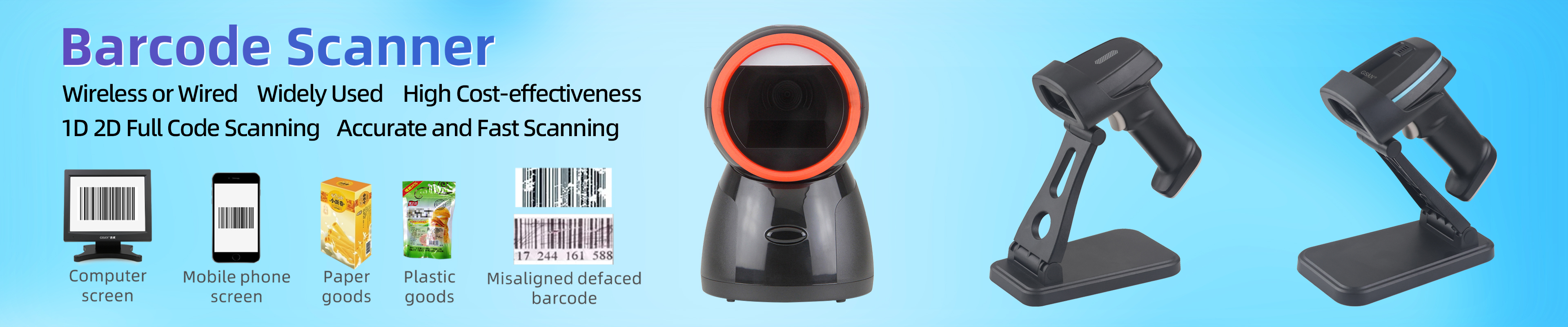
Barcode scanners dictate your maximum lane throughput. You should install bi-optic in-counter scanners for primary scanning. These units use advanced imaging technology to read barcodes from multiple angles instantly. Many include integrated scales to save valuable counter space. You also need handheld 2D companion scanners. These allow cashiers to scan heavy or bulky items left inside the shopping cart, improving checkout speed and reducing heavy lifting.
Produce scales carry strict legal requirements. You must select scales carrying NTEP (National Type Evaluation Program) certification. This compliance ensures legal-for-trade weighing accuracy. Local weights and measures inspectors will fine stores using uncertified scales. They can even shut down non-compliant lanes entirely.
Receipt printers must prioritize sheer printing speed. Look for thermal printers capable of high millimeters-per-second (mm/s) output rates. They should feature easy drop-in paper loading mechanisms. This prevents long delays during mid-transaction paper roll changes.
Payment terminals and cash drawers handle the sensitive financial exchange. Pin pads must be EMV-certified and tap-to-pay enabled to process modern digital wallets. Cash drawers face constant physical abuse. You need heavy-duty metal drawers tested for over one million open-close cycles. These connect directly via the receipt printer's kick-out port for automated, secure opening.
Table 1: POS Hardware Selection Criteria
Component Type | Key Grocery Requirement | Common Mistake to Avoid |
|---|---|---|
Main Register | Multiple powered I/O ports (RS232, Powered USB) | Using single-port consumer tablets |
Barcode Scanner | Bi-optic multi-plane image reading | Relying solely on single-line laser handhelds |
Weighing Scale | NTEP legal-for-trade certification | Deploying standard kitchen or postal units |
Receipt Printer | High mm/second thermal output | Ignoring drop-in paper loading mechanisms |
How you physically connect and arrange your hardware matters immensely. The most powerful terminal will fail if it sits on a vulnerable network or a poorly designed counter.
You must understand the wired versus wireless reality in retail environments. Hardwired LAN connections remain the strict industry standard for grocery operations. Physical peripheral connections via USB or RS232 eliminate frustrating latency. Wireless connections suffer from severe interference. Metal retail shelving, refrigeration compressors, and fluorescent lights act as Faraday cages. Hardwiring also closes potential security vulnerabilities found in wireless data transmissions.
Ergonomics and counter layout directly impact cashier health. You must position the scanner, payment terminal, and bagging area carefully. Proper alignment reduces repetitive strain injuries (RSI) for your staff. Cashiers scan hundreds of items hourly. An optimized layout minimizes unnecessary twisting and reaching. It also reduces the physical footprint of the lane. This allows you to fit more checkout lanes into your valuable front-end retail space.
Cable management ensures long-term system reliability. Dangling cords invite operational disaster. You need strict strategies for routing cables through dedicated counter grommets. Zip ties and durable cable sleeves prevent accidental unplugging by passing shopping carts or sweeping brooms. Proper power delivery isolates sensitive POS hardware from heavy machinery to prevent electrical surges.
Redundancy infrastructure keeps you operational during sudden disasters. You should integrate Uninterruptible Power Supplies (UPS) at every single lane. A UPS provides critical battery backup during brief power flickers. You must also configure offline-mode data caching. This ensures your operations survive localized network drops. Cashiers can continue scanning items, and the system automatically syncs transactional data once the internet connection returns.
Even the highest-quality hardware can fail if the rollout lacks proper planning. IT teams often repeat the exact same integration mistakes. Recognizing these errors early saves immense frustration.
Peripheral Driver Conflicts: Legacy hardware speaks older digital languages. You will face reality when aging OPOS or JPOS scale protocols fail to communicate with modern cloud-based POS software. Always verify driver compatibility matrices thoroughly before purchasing any new peripherals.
Proprietary Lock-in: Some vendors force you to buy hardware tied explicitly to their proprietary software ecosystem. This creates a dangerous operational trap. If you later decide to change your software vendor, you face a full hardware rip-and-replace. Always prioritize software-agnostic hardware platforms for maximum flexibility.
Underestimating Poor Barcode Quality: Supplier barcodes frequently arrive faded, wet, or crinkled. Standard scanner settings might reject them instantly. You must configure scanner aggressiveness settings properly. High-aggressiveness modes use advanced algorithms to reconstruct damaged barcodes accurately.
Inadequate Staging: Deploying untested hardware directly to live checkout lanes is a recipe for disaster. You must stage a dedicated "lab lane" in a secure back office first. Run rigorous Quality Assurance (QA) testing. Simulate offline scenarios, test peripheral kick-outs, and verify receipt formatting before authorizing live deployment.
Selecting the right hardware vendor is just as crucial as picking the devices themselves. You need a reliable partner capable of supporting massive grocery-scale operations year-round.
First, weigh agnostic versus bundled solutions carefully. A single-vendor bundle offers undeniable ease of deployment. One company handles everything from shipping to installation. However, software-agnostic hardware gives you unmatched operational flexibility. You can upgrade your software backend years later without losing your initial hardware investment.
Next, evaluate Service Level Agreement (SLA) and support realities. Retail hardware eventually breaks. You must examine vendor maintenance contracts closely. Does the vendor offer guaranteed next-business-day replacement? Do they provide a 4-hour on-site technician response for catastrophic failures? Grocery stores cannot afford lanes sitting dead for three days while replacement parts ship across the country.
You must also perform a deep warranty analysis. Look far beyond standard one-year factory warranties. Analyze advanced exchange programs for critical components. Scanners and printers have internal moving parts that eventually fail. Advanced exchange means the vendor ships a replacement device immediately, long before receiving your broken unit in the mail.
Your next steps for evaluation should be highly actionable. Request fully functional demo units to test in your specific store environment. Audit your current lane infrastructure to measure physical counter dimensions and dedicated power availability. Finally, define your budget allocations clearly. Decide whether you prefer traditional CapEx (capital expenditure) purchasing or a flexible OpEx (Hardware-as-a-Service) leasing model.
Building a robust grocery checkout ecosystem requires strict adherence to commercial standards. You must prioritize environmental durability, wired network reliability, and certified peripherals over sheer aesthetic appeal. Consumer-grade tablets and generic retail bundles simply cannot survive the rigorous throughput demands of a modern grocery lane.
Take time to audit your exact requirements before spending any budget. Look closely at the physical layout of your counters and the specific needs of your cashiers. Ensure every selected device aligns perfectly with industry compliance standards and harsh physical environments.
Your final directive is to begin the shortlisting process deliberately. Start by mapping exact peripheral requirements for every single lane type in your store. Identify your peak scanning volume, mandatory scale compliance needs, and cashier ergonomic constraints. Complete this comprehensive physical mapping before finalizing your central terminal choice or signing any overarching software platform contracts.
A: Yes, you can mix brands if they adhere to universal communication standards like OPOS or JPOS. However, you must meticulously check your software provider's compatibility matrix. Ensuring official drivers exist for each specific peripheral prevents costly integration failures during deployment.
A: A commercial-grade terminal typically lasts between five to seven years under heavy daily use. Peripherals with internal moving parts, such as thermal receipt printers and in-counter barcode scanners, may require replacement or heavy maintenance sooner due to constant physical wear and tear.
A: A hybrid approach is highly recommended for modern supermarkets. While cloud POS systems offer excellent centralized management, your local hardware must support secure data caching. This localized redundancy ensures cashiers can process transactions seamlessly even during severe internet outages.
A: NTEP certification is a strict legal requirement for any business selling goods by weight. It proves the scale meets specific accuracy standards. Local weights and measures authorities regularly inspect these devices. Non-compliance results in heavy financial fines or immediate operational shutdowns.


