



Views: 0 Author: Site Editor Publish Time: 2026-08-21 Origin: Site


Operating a grocery business means managing razor-thin margins every single day. Every checkout bottleneck directly impacts customer retention and erodes your daily profitability. You simply cannot afford sluggish transactions when long queues build up during peak evening hours. Shoppers abandon carts when lines stop moving. This hurts your reputation and your bottom line.
Unfortunately, generic retail software cannot handle intense, grocery-specific demands. Standard setups fail when faced with weighted pricing, high-velocity item scanning, and complex perishable inventory tracking. Relying on inadequate technology leads to massive shrinkage, compliance errors, and highly frustrated shoppers. You need specialized tools built for extreme volume.
We wrote this article to give you an objective evaluation framework. It will help you choose the right software and hardware ecosystem. We will explore the critical features you need, essential hardware integrations, and the hidden implementation pitfalls you must avoid. By the end, you will know exactly how to bypass restrictive vendor lock-ins and minimize downtime.
Standard retail systems fail in grocery environments due to a lack of scale integrations, EBT/SNAP processing, and granular perishable inventory management.
Evaluating software requires prioritizing offline functionality, matrix inventory capabilities, and age-verification prompts.
Hardware durability is non-negotiable; investing in an omnidirectional supermarket barcode scanner and a heavy-duty POS cash drawer prevents hardware failure during peak hours.
Generic platforms work adequately for boutique shops. They fail miserably in supermarkets. A specialized grocery store POS system provides specific architectural differences. It protects your margins while accelerating the line. Let us examine exactly why grocery environments require distinct solutions.
Groceries process exponentially more line items per transaction than standard retail. Think about a typical customer cart. Shoppers often purchase forty or fifty individual items at once. A clothing store customer might buy three. This high-velocity checkout requirement changes everything about terminal processing speed.
Millisecond delays per scan compound quickly. They turn into significant queue times during evening rushes. If the software takes one extra second to register a barcode, a fifty-item cart takes nearly a minute longer. Multiply this delay across ten lanes. It creates massive bottlenecks.
Complex pricing matrices separate supermarkets from standard retail operations. You manage mix-and-match promotions daily. Shoppers expect seamless discounts instantly. They buy "two for five dollars" items constantly. The software must calculate these matrix discounts dynamically.
You also deal in bulk weighting continuously. Deli and produce sections require variable tare weights. The system must deduct the plastic container weight instantly. It then calculates the exact price per pound. Manual calculations invite human error. Automated tare deduction protects your tight profit margins.
Compliance and tender complexity add heavy operational burdens. Cashiers split payments across multiple tender types routinely. They process SNAP/EBT benefits continuously. The state requires strict reporting on these specific transactions. Standard systems often fail to separate eligible and non-eligible EBT items automatically.
The checkout process must also trigger automated age-verification. Selling alcohol and tobacco demands strict legal compliance. Cashiers need prompt, unskippable alerts. Manual ID checks invite human error and massive fines. Automated prompts keep you compliant.
You must evaluate software features carefully to protect store margins. Do not settle for basic tracking. Supermarkets demand advanced ecosystems.
Supermarkets demand advanced vendor management. You need robust matrix inventory support. The software must track case-breakdowns accurately. For example, you buy tomatoes by the crate. You sell them by the pound. The platform must bridge this unit-of-measure gap automatically.
It should also trigger automated low-stock vendor reordering. This prevents empty shelves during busy weekends. We highly recommend integration directly to shelf-edge labeling. Real-time shrinkage tracking remains another absolute necessity. It highlights theft and spoilage immediately.
Common Mistake: Relying on generic inventory platforms. They fail to understand case-breakdowns. You lose track of individual unit costs entirely.
Pricing updates consume hours if employees do them manually. Your software needs a robust promotion engine. It should schedule automated price rollbacks. You need temporary markdowns for expiring perishables. Cashiers should never apply these discounts manually.
The platform must apply tiered loyalty pricing seamlessly. This keeps lines moving fast. It also prevents employee discount abuse. Automated loyalty tiers encourage shoppers to spend more per visit. They see their savings instantly on the customer-facing display.
Internet outages happen unexpectedly. You cannot halt operations when connectivity drops. Critical evaluation of offline functionality is vital. What exactly happens during a localized network outage?
The terminal must continue processing cash transactions smoothly. It must queue credit card data securely in the background. Once the connection returns, it processes the batch. This critical feature prevents total store paralysis. It keeps your customers moving out the door.
Employee theft and honest mistakes cost serious money. Advanced permissions protect your bottom line. We strongly suggest enforcing blind till counts. Cashiers should not know the expected drawer total during shift changes. This prevents skimming.
You also need strict manager overrides for voids and refunds. Detailed audit trails must map every action to specific cashiers. Pinpoint exactly who authorized a large refund. Transparency eliminates internal theft opportunities.
Software Feature Evaluation Checklist
Feature Category | Standard Retail Capability | Grocery Specific Requirement |
|---|---|---|
Inventory Tracking | Unit-based only | Case-breakdown and matrix |
Payment Tenders | Cash, Credit, Gift Card | EBT/SNAP, WIC, Split Tenders |
Scale Integration | Manual entry via keypad | NTEP-certified auto-sync |
Compliance | Manual checking | Automated age-verification prompts |
High-volume environments destroy cheap, consumer-grade hardware. You must select enterprise-grade devices designed for constant abuse. Let us break down the critical hardware components.
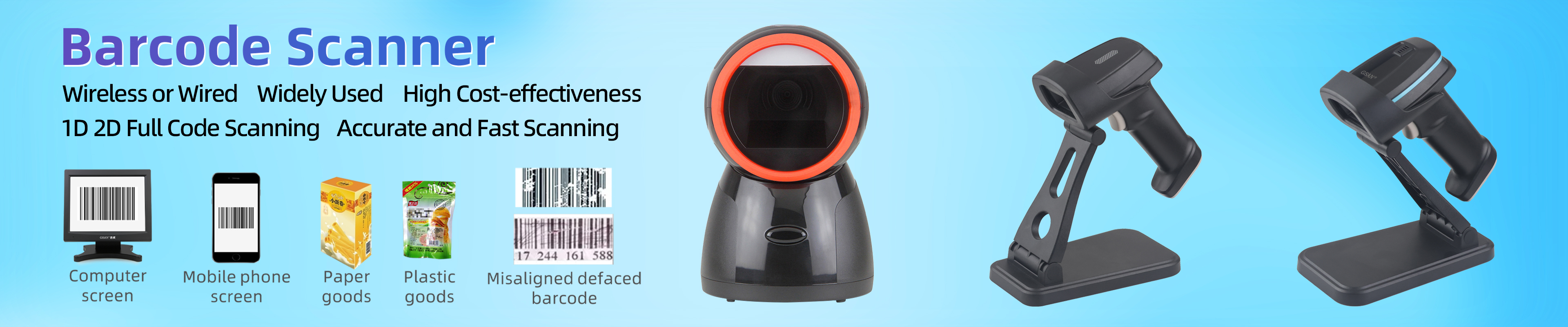
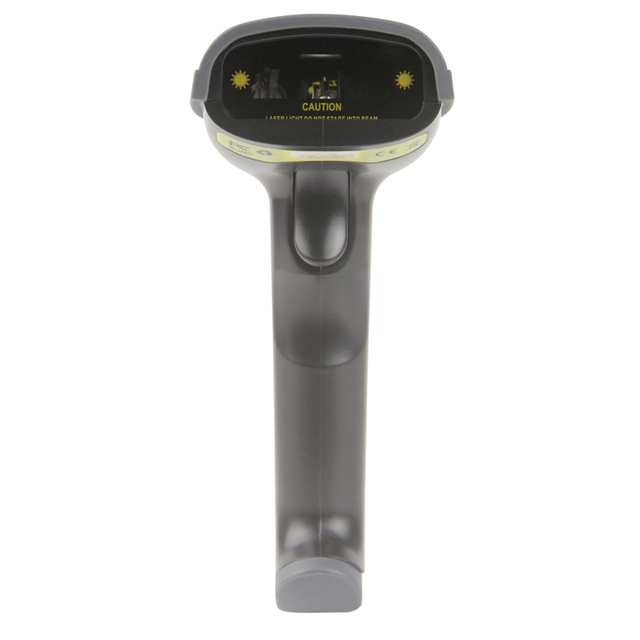
Multi-plane bi-optic scanners sit flush inside the checkout counter. They suit high-volume lanes perfectly. Cashiers slide items across the glass rapidly. The device reads barcodes from six different angles simultaneously. It maximizes throughput.
Handheld models serve a different, essential purpose. A heavy-duty handheld omnidirectional supermarket barcode scanner works best for bulky items. Customers leave heavy dog food bags in the cart. The cashier scans them effortlessly without lifting. Evaluate scan speed carefully. Test the read accuracy on damaged or wet barcodes. Produce departments often generate wet, wrinkled labels. Your scanner must read them instantly.
Best Practice: Mount handheld scanners at ergonomic heights. It significantly reduces cashier wrist strain during long shifts.
Manual weight entry causes major revenue leaks. Cashiers make typing mistakes constantly. They accidentally undercharge for premium meats or artisan cheeses. You need NTEP-certified scale integrations.
These specialized scales sync tare weight directly to the terminal. They eliminate manual cashier entry completely. This reduces user error drastically. It protects your deli margins reliably. The customer also sees the exact weight on the display. This builds tremendous trust.
Standard retail drawers cannot survive grocery checkouts. Cashiers slam them shut hundreds of times daily. Flimsy plastic rails snap under pressure. You need an all-steel POS cash drawer to withstand this environment.
It must feature high-cycle roller bearings. Dual media slots allow quick coupon drops without opening the till. Thermal receipt printers also require close scrutiny. Look for high print speeds exceeding 300 millimeters per second. Front-loading designs enable rapid paper roll changes. Cashiers should not spend minutes fighting paper jams.
Upgrading your technology carries hidden operational risks. You must navigate these carefully. Avoid restrictive contracts. Focus on flexibility and long-term viability.
Many vendors hide their true fees. They mandate using their proprietary payment processing gateway. They offer opaque flat-rate pricing models. This looks simple initially. However, it penalizes high-volume grocery transactions heavily.
Look for gateway-agnostic platforms instead. They allow you to shop for interchange-plus rates. This flexibility saves massive amounts of capital annually. You can switch processors if rates climb. Never sign software agreements requiring exclusive processing rights.
Some software companies sell heavily branded, proprietary terminals. These devices only run their specific software. This creates a severe operational trap. If you switch software vendors later, the hardware becomes useless.
You must discard perfectly good touchscreens and scanners. Always purchase universally compatible equipment. Look for standard Windows or Android enterprise terminals. This protects your initial capital investment.
Moving databases poses a massive operational risk. Groceries maintain thousands of distinct SKUs. You track UPCs, PLUs, descriptions, and dynamic pricing. Exporting this from legacy systems often creates corrupt files.
Manual entry takes weeks of labor. Prioritize vendors offering managed onboarding. They must provide clean database mapping tools. Standardize your current data before attempting any migration. Clean data ensures a smooth transition.
Best Practice: Run the new setup alongside the old one for two days. This parallel testing catches pricing errors before customers notice them.
You need a systematic approach to vendor selection. Follow these exact steps to avoid expensive mistakes. Treat this process seriously.
Audit Current Hardware: Catalog your existing scales, scanners, and touch terminals. Determine their current lifespan. Decide if a cloud-based software overlay works. Sometimes, a total hardware rip-and-replace makes more sense. Document every connection port type currently in use.
Map Checkout Workflows: Do not guess what your cashiers need. Shadow them during peak hours. Identify their current bottlenecks. Notice how often they perform manual PLU entry. Watch them struggle during EBT split payments. Use these specific observations as strict pass or fail criteria.
Request Proof of Concept (PoC): Never buy based on slide decks. Demand a live demonstration. The vendor must handle your specific edge cases seamlessly. Ask them to scan a weighted deli item. Make them trigger an age-restricted product prompt. Disconnect the internet during the demo. Watch how the offline processing actually functions.
Upgrading a grocery checkout terminal is a serious infrastructure decision. It represents much more than a simple software purchase. You are replacing the financial heart of your store. Prioritize hardware interoperability above flashy software gimmicks. Demand transparent payment processing terms before signing any contracts. Focus heavily on robust inventory control, matrix capabilities, and strict employee permissions.
Start your evaluation process today. Document your store's current daily transaction volume. Identify the primary bottlenecks frustrating your cashiers. List the required hardware integrations your deli and produce sections desperately need. Use this exact data to command vendor demonstrations. Take control of your checkout speed. Eliminate queue delays and protect your hard-earned grocery margins definitively.
A: iPad systems work adequately for low-volume neighborhood delis. However, they struggle heavily in high-speed multi-lane environments. They often lack native hardwired integrations for bi-optic scales and enterprise scanning equipment. Supermarkets need dedicated, heavy-duty terminals. These prevent connectivity drops and handle constant physical abuse much better than consumer-grade tablets.
A: A standard drawer might last only one year in a busy grocery setting. Grocery stores require enterprise-grade hardware built for high volume. Heavy-duty drawers feature four-million cycle ratings. They use steel ball-bearing rollers instead of plastic rails. Investing in commercial durability prevents mechanical failures during your busiest holiday rushes.
A: You should not have to enter items manually. Most modern platforms offer CSV or Excel bulk import capabilities. The success of this import depends completely on your legacy database. You must standardize your UPC and PLU data prior to migration. Clean data ensures a smooth transition without losing vital pricing history.


