



Views: 0 Author: Site Editor Publish Time: 2026-11-01 Origin: Site


Opening a successful new retail store demands managing significant upfront capital carefully. Budgets often run tight during early launch phases. Choosing incorrect point-of-sale equipment remains an expensive, frustrating mistake. You cannot easily reverse this fundamental error. It severely impacts daily operations and overall customer experience.
Retailers frequently overbuy proprietary hardware early on. Many also severely under-equip their main checkout counters. These hasty choices cause persistent integration issues. They force unwanted software lock-ins onto unaware business owners. You need highly reliable physical equipment. It ensures excellent daily customer service.
This POS hardware buying guide provides a highly practical, vendor-neutral evaluation framework. We help you assess individual system components carefully. You will learn to identify and avoid hidden equipment fees completely. We teach you to select devices matching your immediate retail workflow perfectly. This foundation supports your future expansion goals seamlessly.
Define workflow first: Base hardware choices on your physical store layout and checkout flow (stationary counter vs. mobile roaming) rather than buying pre-packaged bundles blindly.
Beware of proprietary locks: Understand the difference between hardware-agnostic systems (e.g., consumer iPads) and proprietary terminals that force you into specific payment processing contracts.
Factor in the total cost of ownership (TCO): Upfront hardware costs are only part of the equation; factor in warranties, replacement costs, and PCI-compliance maintenance.
Prioritize cloud-ready setups: Modern retail demands cloud-based, all-in-one systems that offer off-site management and easier hardware scalability.
Identify successful checkout experiences for your specific retail category first. High-volume boutiques need sleek, unobtrusive payment terminals. These minimalist devices preserve store aesthetics beautifully. Heavy-inventory hardware stores require rugged, industrial-grade barcode scanners. Employees drop equipment frequently in warehouse settings. You must define these unique operational requirements early. Clear definitions prevent costly purchasing errors later. Mapping the ideal customer journey simplifies your equipment selection process. Determine how fast you need to process each transaction.
Evaluate your physical counter space thoroughly. Compact, all-in-one terminals suit small checkout zones best. They combine the screen, printer, and reader into one unit. Traditional modular setups fit spacious, high-traffic lanes better. Modular designs allow easy replacement of individual broken parts. Countertop clutter creates a poor first impression for shoppers. You must plan for proper cable management solutions early. Hide ugly wires underneath the primary checkout desk surface. Clean aesthetics signal professionalism to your incoming store guests.
Assess your staff mobility needs next.
Mobile POS devices enable fast line-busting during seasonal peak hours.
Roaming staff can perform on-floor inventory lookups quickly.
Portable readers reduce customer wait times significantly.
Floor associates can process payments directly in the aisles.
Mobile units free up valuable main counter space immediately.
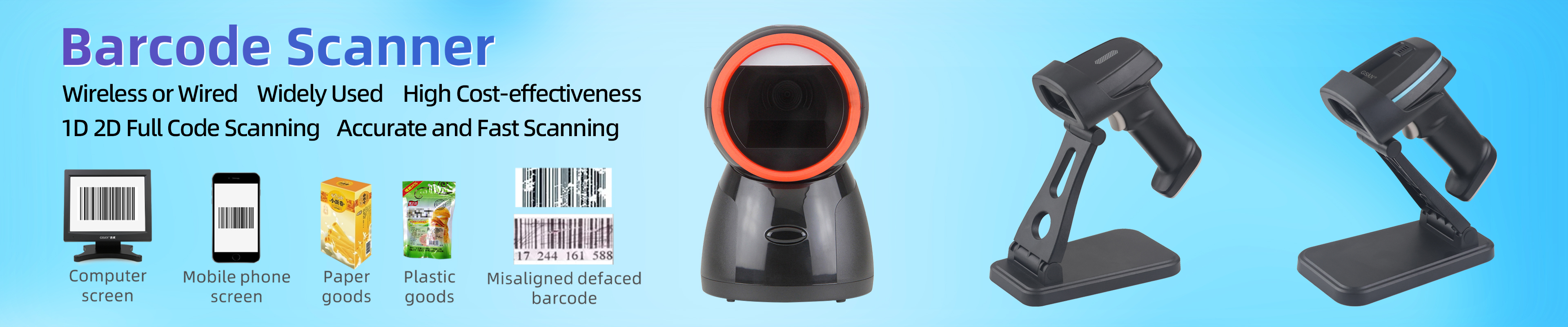
Assess the complexity of your product barcodes carefully. Standard 1D laser scanners handle basic retail items perfectly. They read simple UPC codes from standard paper tags. Modern stores often need advanced 2D/QR imagers instead. These upgraded scanners process digital coupons easily. They also read loyalty apps directly from smartphone screens. Screen glare ruins older laser scanner attempts instantly. Choose scanners matching your specific promotional strategies. Selling age-restricted items requires scanning driver licenses quickly. Only 2D imagers can parse complex ID barcodes effectively. Grocery stores require built-in scale scanner combinations usually. These specialized hybrid units weigh produce accurately during checkout. They eliminate manual weighing errors completely.
Every retail business requires a specific combination of standard components. Understanding each piece ensures optimal daily functionality.
The main display serves as your central command hub. Commercial-grade touchscreens offer extreme durability for harsh retail environments. Manufacturers build them to withstand constant daily tapping. Consumer tablets provide sleek aesthetics and familiar user interfaces. Tablets require much lower initial capital investments. However, commercial displays boast longer expected lifecycles. Tablet replacements happen more frequently due to fragile glass screens. Dedicated terminals also feature more physical connection ports natively. Extra ports support multiple receipt printers and secondary displays easily. Employee facing screens should offer high contrast brightness settings. High brightness reduces severe eye strain during long shifts. Customer facing displays improve overall transaction transparency immensely. Shoppers can verify scanned item prices in real time. This immediate feedback prevents pricing disputes after payment completion.
Secure payment terminals remain entirely non-negotiable for modern stores. Modern readers must process EMV chip cards flawlessly. EMV technology prevents fraudulent card duplication attempts. NFC capabilities enable contactless Apple Pay transactions securely. Tap-to-pay speeds up the entire checkout process drastically. Swipe fallback options ensure continuous service during chip read failures. Old magnetic stripes sometimes remain necessary for gift cards. Strict PCI-DSS compliance protects sensitive customer financial data continuously. Non-compliant hardware exposes your business to massive financial liabilities. Modern customers expect fast, frictionless payment experiences consistently. Slow card readers create frustrating bottlenecks during rush hours. Ensure your chosen reader processes transactions under three seconds. Fast processing speeds keep the checkout line moving smoothly. Device battery life matters for mobile roaming readers immensely. Choose readers offering at least twelve hours of battery.
Thermal printers represent the modern retail industry standard. They print receipts rapidly using specialized heat-sensitive paper. They never require messy, expensive ink cartridge replacements. Impact printers see rare usage in modern retail environments. Retailers only use impact printers for multi-part forms. Dry cleaning businesses sometimes still rely on impact models. Choose thermal options for fast, quiet counter operations. Modern thermal units also print custom store logos clearly. Networked receipt printers offer incredible routing flexibility for businesses. A front counter register can send orders directly backward. Restaurants send food tickets to kitchen printers seamlessly. Retailers can print pickup slips in the back warehouse. Evaluate your specific printing routing needs carefully.
Select scanners based on item weight and daily transaction volume. Handheld scanners work best for heavy, bulky merchandise. Cashiers scan heavy bags easily avoiding awkward lifting. Presentation scanners allow completely hands-free counter operations. The cashier simply waves the item under the stationary beam. Wireless Bluetooth scanners give cashiers exceptional physical mobility. Mobile scanning prevents awkward reaching near the checkout lane. Cordless models eliminate messy wires across the main counter.
Cash drawers connect via printer-driven cables or direct USB ports. Printer-driven models open automatically after successful receipt generation. Essential security features include dual front media slots. These slots secure large bills and paper checks safely. Cashiers slide high-value items inside keeping the main drawer closed. Manual override keys guarantee access during sudden power outages. Heavy-duty steel construction prevents unauthorized tampering during busy shifts. Always purchase extra till inserts for your cash drawers. Extra inserts speed up shift changes between different cashiers. A new cashier swaps their counted till in instantly. This quick swap prevents operational delays during busy afternoons. Secure the extra tills inside a heavy back-office safe.
Table: Standard Retail POS Components Comparison
Component | Recommended Hardware Type | Primary Business Benefit |
|---|---|---|
Display Terminal | Tablet or Commercial Grade Kiosk | Centralizes all daily transaction data |
Payment Reader | EMV & NFC Enabled Terminal | Secures customer payments against fraud |
Receipt Printer | High-Speed Thermal Printer | Eliminates ongoing messy ink costs |
Barcode Scanner | Advanced 2D/QR Code Imager | Reads bright smartphone screens easily |
Cash Drawer | Heavy-Duty Steel Enclosure | Protects physical currency securely |
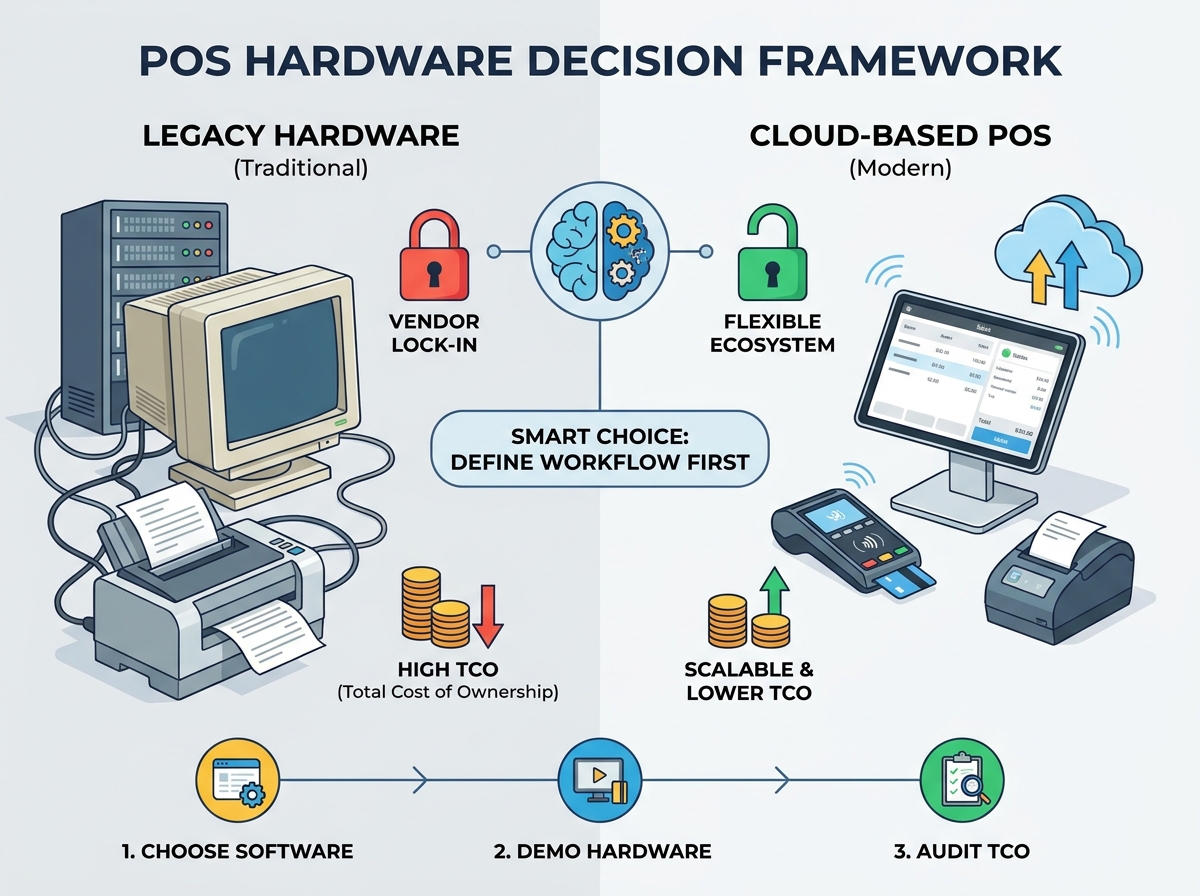
Retail technology shifted dramatically from on-premise servers toward cloud architecture. This evolution changed how businesses purchase and maintain physical equipment. You must understand both solution categories before investing capital. Choosing the wrong architecture limits your future software options severely.
Legacy hardware requires massive upfront capital expenditure. Businesses must purchase expensive local servers and bulky counter registers. Maintenance remains consistently expensive over time. Updating software requires scheduling costly IT service calls. Local servers also carry severe risks of catastrophic data loss. Hard drive failures can erase entire customer purchase histories instantly. These older systems lack modern remote management capabilities entirely. You cannot check store sales from your home computer easily. These closed systems rarely integrate smoothly into modern software. You cannot connect them to new digital loyalty programs. Legacy vendors often charge exorbitant fees for custom API access. Escaping these legacy contracts proves notoriously difficult for owners.
Cloud platforms lower the initial barrier to entry significantly. They utilize standard tablets or sleek proprietary smart-terminals. You access subscription-based software over active internet connections. Real-time data sync keeps inventory numbers perfectly accurate globally. Automated updates deploy quietly during off-peak night hours. Replacing broken components takes minutes rather than days. You simply log into a new tablet and resume selling. Cloud systems offer superior agility for modern retail environments. Cloud architectures integrate seamlessly across various modern business tools. You can connect accounting software directly into the platform. Daily sales data flows automatically into your bookkeeping system. This automation eliminates tedious manual data entry tasks completely. Managers can track live inventory levels from their smartphones.
Vendors frequently offer seemingly free hardware bundles to new owners. These promotions strictly tie retailers into long-term contracts. You will likely pay drastically higher payment processing rates. The extra processing fees quickly surpass the equipment's actual value. Avoid these deceptive traps by purchasing equipment outright. Paying for terminals upfront guarantees you better monthly processing rates. Always read the fine print regarding early contract cancellation fees. Payment processors aggressively market these zero-cost equipment bundles online. They recoup the hardware cost through elevated transaction percentages. A fraction of a percent adds up massively annually. Calculate the total processing cost over thirty-six full months. You quickly discover the true price of free equipment.
Some software providers force you into buying proprietary peripherals. They sell these components directly at massive retail markups. A basic scanner might cost triple the standard market price. Always check the software provider's supported hardware list first. This step allows you to buy third-party devices safely. Independent sourcing saves your business considerable money. Avoid ecosystems demanding proprietary cables or locked Bluetooth frequencies entirely. Software companies often whitelist only specific peripheral serial numbers. Plugging in unauthorized equipment triggers immediate system error codes. Always demand a written hardware compatibility list before signing. Verify exact model numbers carefully before making online purchases. Returning incompatible electronics often incurs steep restocking fees.
Integrated payments allow card readers to talk directly to terminals. Non-integrated setups require cashiers to enter transaction amounts manually. Manual entry increases human error during busy shifts. A cashier might type ten dollars instead of one hundred accidentally. Consider hardware implications regarding different processing models carefully. Flat-rate processing simplifies monthly statements immensely. Interchange-plus models often yield better margins for high-volume retailers. Ensure your chosen terminal supports your preferred merchant account provider.
Self-installing tablet-based systems requires minimal technical expertise. You basically plug components into power sources and pair Bluetooth. User-friendly interfaces guide you through the entire initial setup intuitively. Self-installation saves hundreds of dollars in initial launch fees. Vendors provide detailed video tutorials for basic tablet setups. Multi-lane setups demand professional network engineering. Cabling complex store environments takes significant planning and expert execution. You might need dedicated routers and managed network switches. Assess your internal technical abilities honestly before deciding. Hiring professionals prevents launch day networking disasters. Complex installations often require drilling holes through custom counters. Professionals know how to conceal thick cables perfectly. They also test network signals across the entire floor.
Cloud POS hardware requires exceptionally robust Wi-Fi networks. Frequent internet outages disrupt basic retail operations instantly. You must ensure your hardware supports offline mode capabilities. Offline modes process cash and queue card payments securely. The system syncs data once internet connectivity fully restores. Hardwired Ethernet connections provide better stability than wireless setups. Use hardwired connections for main stationary counter terminals whenever possible.
Consumer tablets typically include standard one-year manufacturer warranties. These warranties rarely cover accidental damage from retail drops. Retail-hardened devices often feature comprehensive commercial warranty coverage. Advance-replacement programs ship new terminals overnight during unexpected hardware failures. Commercial warranties protect your revenue streams much better. They minimize costly operational downtime significantly. Always purchase extended protective cases for mobile tablet setups.
Ensure your chosen hardware ecosystem allows seamless future expansion. Follow these scaling steps carefully:
Map out potential future secondary registers clearly.
Confirm the network handles additional terminal bandwidth easily.
Test back-office terminal synchronization speeds thoroughly.
Add new peripherals slowly monitoring system stability daily.
Train staff on proper hardware troubleshooting procedures fully.
Proper planning prevents complete network overhauls during rapid growth phases. Upgrading gradually keeps initial launch costs manageable.
Software dictates hardware compatibility entirely. You should never purchase physical components first. Select your preferred inventory management platform initially. Then, buy screens and printers matching those specific software requirements. Reversing this order usually results in buying incompatible equipment. Software platforms often provide specific lists of guaranteed compatible models.
Do not settle for generic software-only screenshares. Ask vendors to demonstrate physical peripheral connections live. Request specific videos showing actual transaction speeds. Seeing the physical equipment perform prevents unpleasant surprises later. Test how fast the cash drawer opens after payment. Check the scanning speed of the provided barcode reader personally.
Create a spreadsheet comparing different payment models. Compare outright hardware purchases against subsidized equipment offers. Calculate projected processing fees over a standard three-year period. Subsidized hardware almost always costs more in the long run. High processing rates drain your monthly operational profits continuously. Paying upfront requires capital but ensures long-term financial health.
You must decide where to purchase your equipment. Buying bundled hardware kits from software vendors ensures easier support. You only call one company during technical emergencies. Sourcing compatible components independently yields potential cost savings. You can hunt for discounts on generic thermal printers online. Weigh the value of simplified troubleshooting against initial capital preservation.
The right POS equipment balances immediate budget constraints perfectly. It provides necessary operational durability for daily transactions. Your setup must also offer future flexibility for expansion. Avoid over-investing in rigid, outdated legacy hardware solutions. Build a flexible, cloud-ready foundation starting strictly from essential components. Scale your peripheral devices as store foot traffic grows. Add mobile readers as operational complexity increases naturally. Smart hardware choices streamline your checkout process immensely.
A: Yes, many cloud-based POS platforms support existing consumer tablets. You must verify exact iOS or Android version compatibility first. Outdated operating systems cannot run modern, secure payment software. You will also need compatible commercial stands or durable enclosures. These accessories protect your personal tablet from accidental daily drops.
A: It depends entirely on your chosen software ecosystem. Proprietary systems strictly require you to purchase their specific terminals. Open-hardware platforms allow independent sourcing of compatible third-party devices. Always review the official supported hardware list before making purchases. Buying independently often saves considerable money upfront.
A: A realistic hardware budget typically ranges between $800 and $2,000. Basic tablet setups sit at the lower end. Dedicated commercial terminals push costs toward the higher end. The final price depends heavily on your peripheral count. Extra receipt printers and advanced barcode scanners increase the total.
A: PCI compliance means your equipment meets strict payment card industry security standards. Compliant hardware features built-in, end-to-end transaction encryption. It strictly enforces secure EMV chip processing rules. Using compliant devices shifts financial liability away from your business. It protects you against costly fraudulent transaction penalties.


